探花视频

Traction Rec Self-Guided Tour

Traction Rec Self-Guided Tour

Built on Salesforce, the world鈥檚 #1 AI CRM, Traction Rec is a best-in-class recreation management CRM solution. Traction Rec helps community centers and nonprofit organizations to deepen the experiences of constituents and create greater community impact. Learn more at www.tractionrec.com.
Step 1 of 10

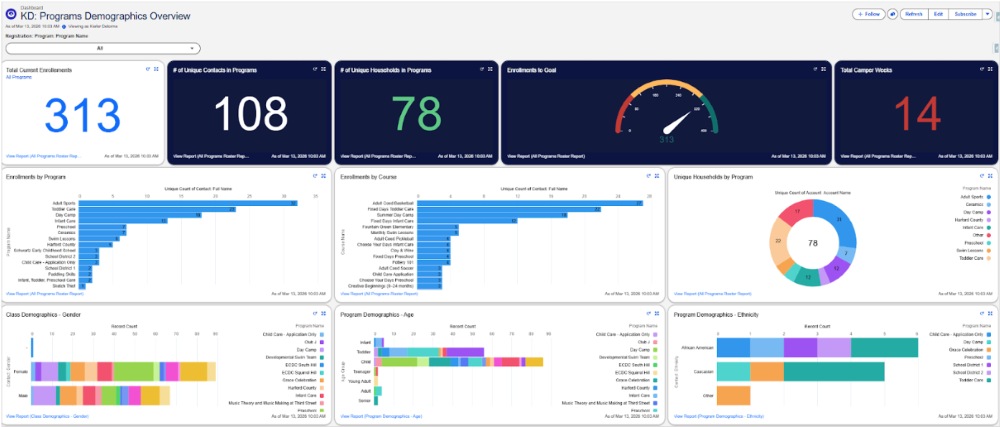
See Parks & Recreation Operations in One View

See Parks & Recreation operations at a glance with configurable dashboards and reports. Track registrations, revenue, and facility utilization in real time, then drill into details as needed.

See Parks & Recreation Operations in One View See Parks & Recreation Operations in One View

Step 2 of 10

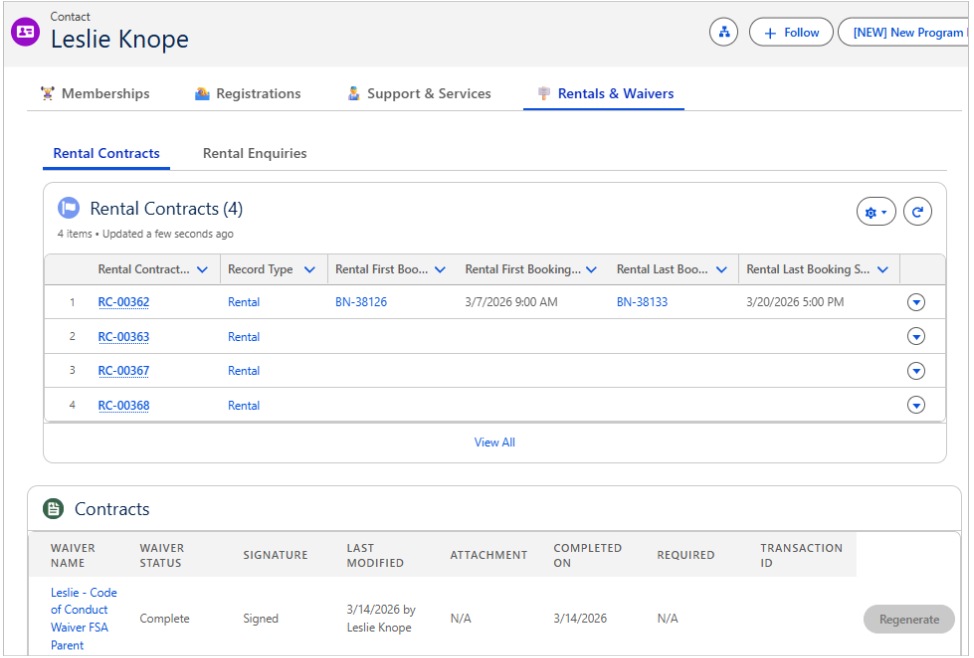
Connect Rentals & Resident

Get a single, shared view of each constituent’s rental contracts and waiver status right on the Contact record. This helps staff verify eligibility faster and reduce risk across departments.

Connect Rentals & Resident Connect Rentals & Resident

Step 3 of 10

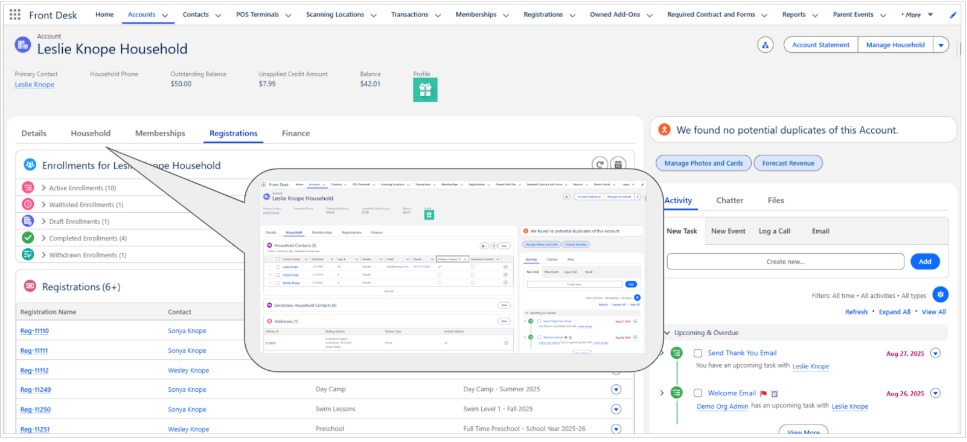
Connect Programs and Service with a Household 360

Get a single, shared view of each resident facility rentals, and transactions. This reduces duplicate data entry and supports faster, more consistent service across departments.

Connect Programs and Service with a Household 360 Connect Programs and Service with a Household 360

Step 4 of 10

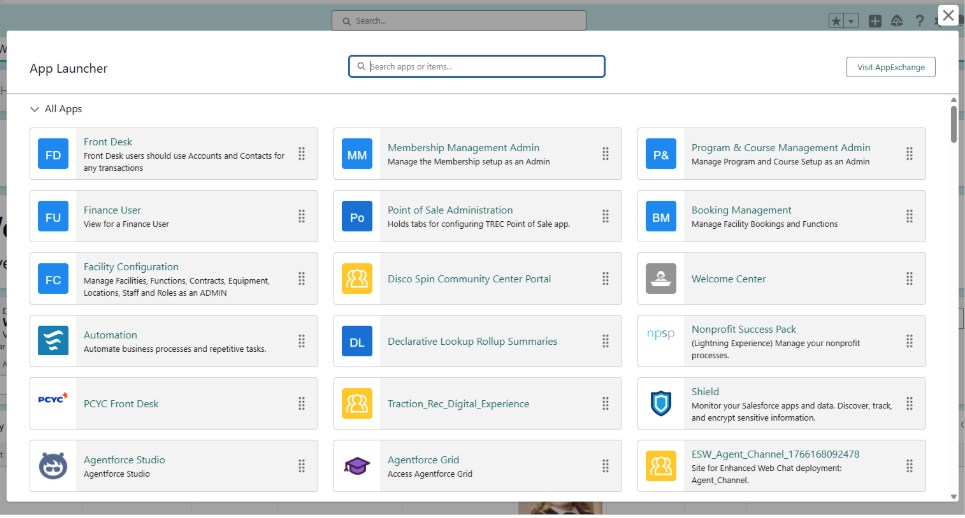
Access Parks & Rec Workflows from One Place

Access Parks & Rec workflows from one place using the App Launcher. Agencies can tailor navigation by role (front desk, program coordinators, facility managers) to simplify day-to-day operations.

Access Parks & Rec Workflows from One Place Access Parks & Rec Workflows from One Place

Step 5 of 10

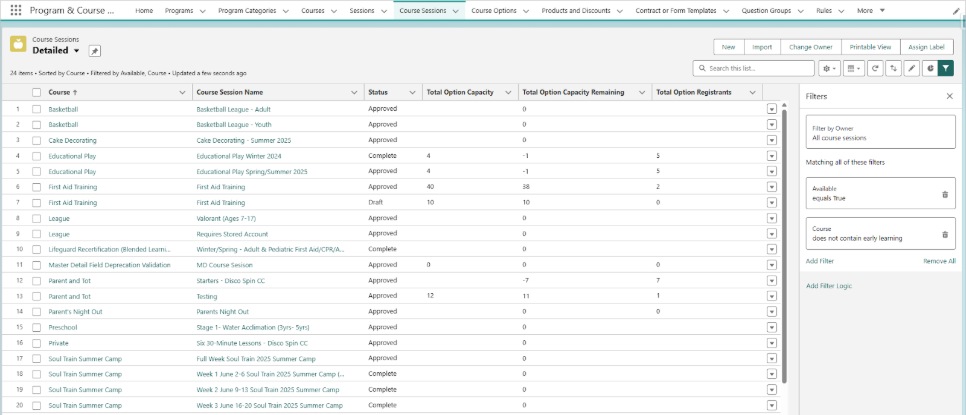
Manage Programs at Scale with List Views and Filters

List views make it easy to search, filter, and bulk edit large volumes of programs and sessions. Staff can quickly segment offerings by season, location, and status without relying on spreadsheets.

Manage Programs at Scale with List Views and Filters Manage Programs at Scale with List Views and Filters

Step 6 of 10

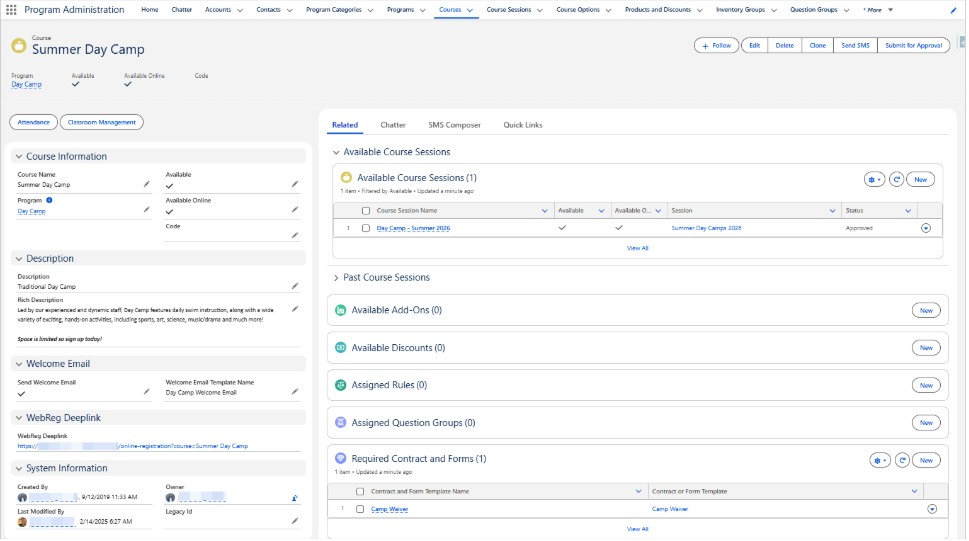
See the Full Program Context with Related Records

Keep the full operational context of a program in one place. Related records connect registrations, payments, and required forms so staff can resolve resident questions quickly and accurately.

See the Full Program Context with Related Records See the Full Program Context with Related Records

Step 7 of 10

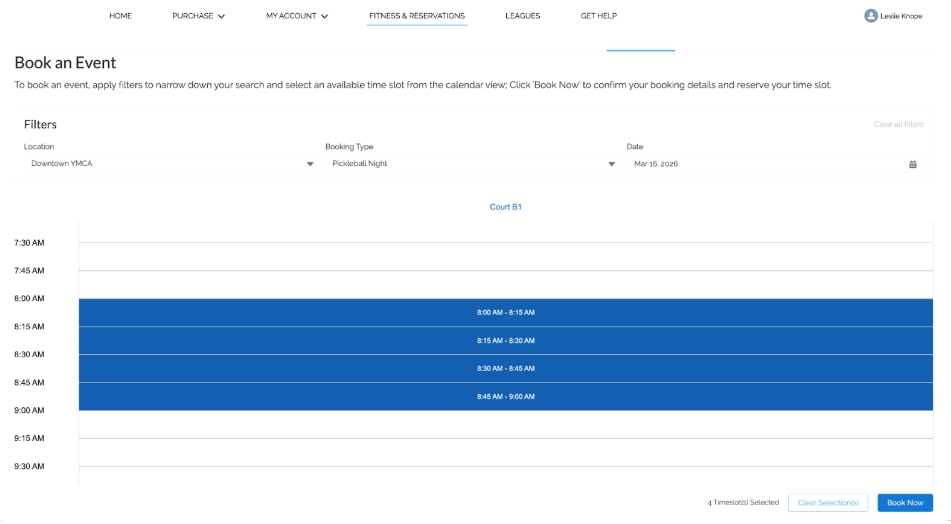
Coordinate Facility Scheduling with a Calendar View

Use a calendar-based view to coordinate facility scheduling and reduce booking conflicts. Staff get a clear birds-eye view of space usage—supporting complex Parks & Rec scheduling needs.

Coordinate Facility Scheduling with a Calendar View Coordinate Facility Scheduling with a Calendar View

Step 8 of 10

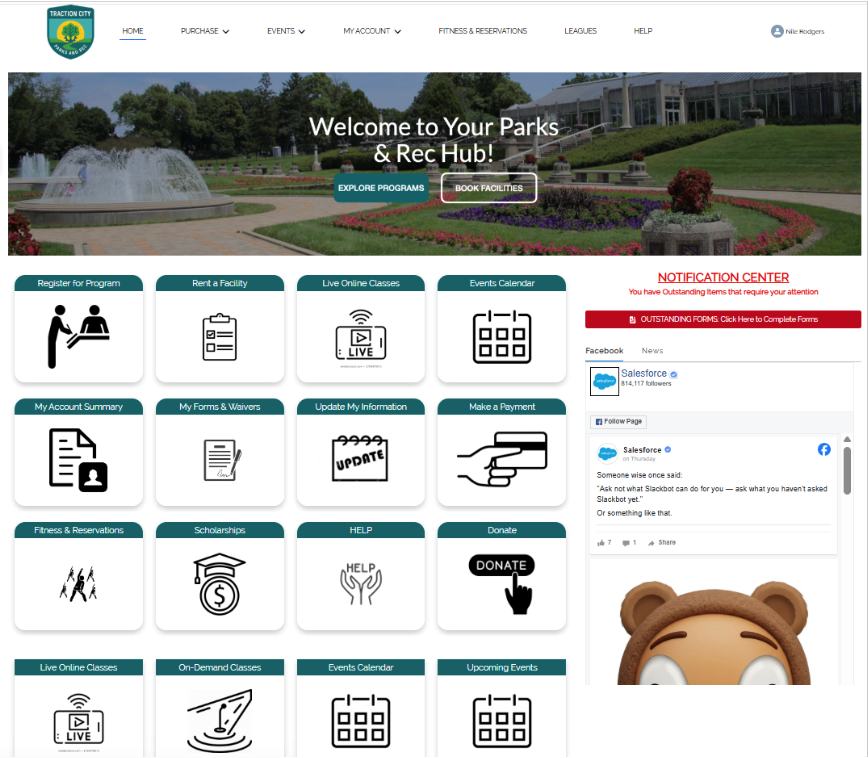
Offer Online Self-Service with a Resident Program Catalog

Provide residents a modern self-service experience to find programs online. Search and filtering improves discoverability and reduces calls, lines, and staff administrative work.

Offer Online Self-Service with a Resident Program Catalog Offer Online Self-Service with a Resident Program Catalog

Step 9 of 10

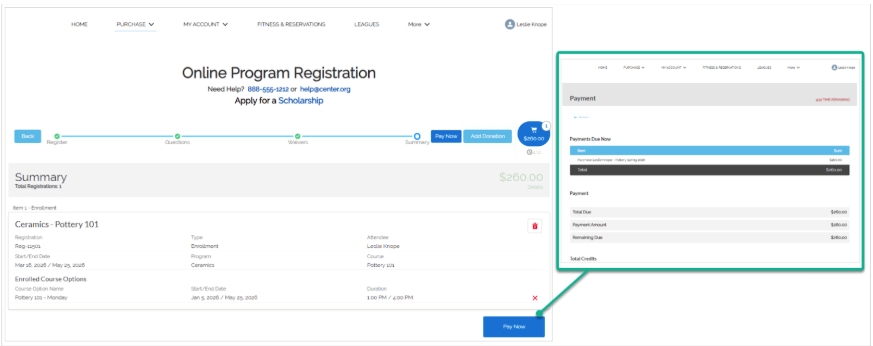
Streamline Registration and Checkout (Resident Experience)

Enable residents to register and pay through a guided online workflow. Support common Parks & Rec needs like pricing rules, required waivers/forms, and a clear post-purchase confirmation.

Streamline Registration and Checkout (Resident Experience) Streamline Registration and Checkout (Resident Experience)

Step 10 of 10

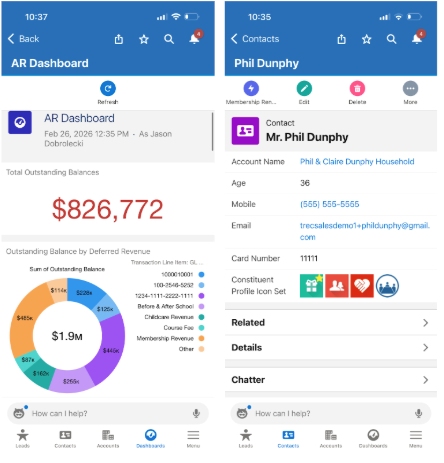
Take Parks & Rec Operations Into the Field (Mobile)

Support staff in the field with a mobile-friendly experience. View and update records in real time from anywhere—ideal for facility walk-throughs, event support, and on-the-go service.

Take Parks & Rec Operations Into the Field (Mobile) Take Parks & Rec Operations Into the Field (Mobile)