Confluence Navigation & Formatting Suite is an all-in-one Atlassian Forge app that extends Confluence with 30+ custom macros across tabbed navigation, content formatting, conditional visibility, and attachment management - all without leaving Confluence. Built natively on Forge, it replaces multiple point-solution plugins with a single unified app, so teams get professional-grade documentation structure without managing separate installs or third-party data flows. Every macro ships with a live configuration panel so editors see exactly how content will render before publishing. The app is designed for documentation teams, space admins, and enterprise Confluence deployments that need both visual richness and operational control.
30+ macros in one app replace 3-5 separate plugins, eliminating overlapping licenses and conflicting upgrades
Native Forge architecture means all data stays within Atlassian infrastructure - no external calls, no compliance risk
Live preview in every macro config panel lets editors build pages confidently without developer involvement
Step 2 of 6
Tabbed Navigation
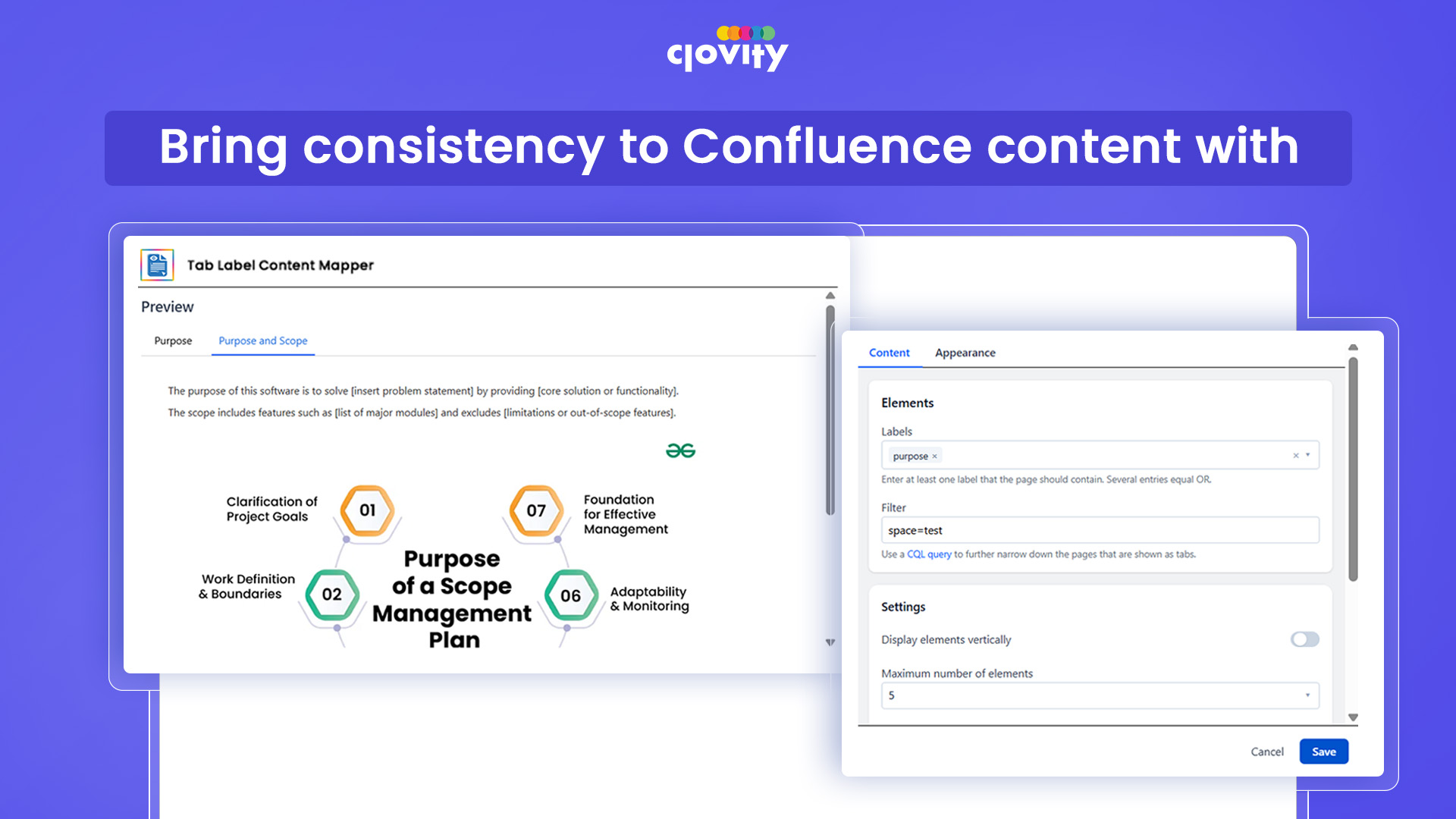
The tabs module gives Confluence editors four methods to build dynamic tabbed navigation on any page: by content label, by parent page hierarchy, by manually selected pages, or with fully custom tab content. Label-based and parent-based tabs auto-update when new pages are added under a parent or tagged with a label, so navigation stays current without manual upkeep. Each tab bar supports custom appearance settings - colors, icons, layout styles - configured through a drag-and-drop interface with live preview. CQL filtering gives admins fine-grained control over which pages surface in any tab group.
Label-based and parent-based tabs auto-update when new pages are added - zero ongoing maintenance
Drag-and-drop tab reordering with live preview eliminates publish-and-check cycles
CQL filtering support lets admins build curated, rule-driven navigation without scripting
Step 3 of 6
Formatting Macros
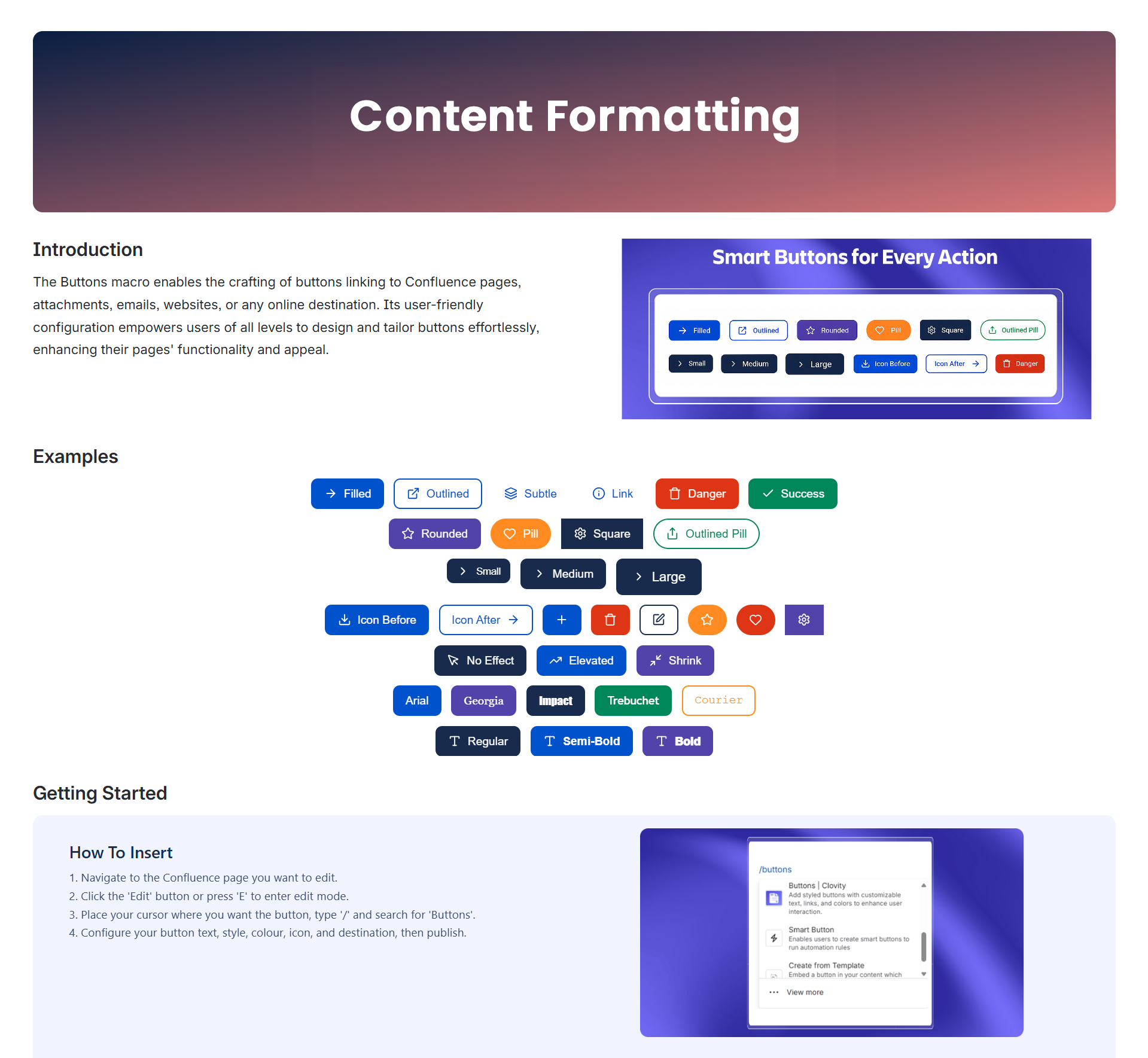
The Formatting module delivers visual and interactive macros that transform plain Confluence pages into rich, branded documentation - alerts, banners, cards, tooltips, footnotes, progress bars, countdown timers, status labels, pop-up dialogs, JSON viewer, activity stream, and more. Each macro ships with a configuration panel and live preview, so editors style content without writing code. Advanced components like the Advanced Card, Interactive Banner, and Pop-up Dialog bring web-application-quality UX to Confluence pages. Dividers, background controls, and custom-font titles let teams enforce visual consistency across spaces without custom CSS or theme overrides.
ready-to-use components cover alerts, layouts, interactive UI, and data display - no code, no third-party embeds
Live configuration preview in every macro removes guesswork before publishing
No-code design lets documentation editors move independently, reducing the IT bottleneck on page updates
Step 4 of 6
Conditional Content Visibility
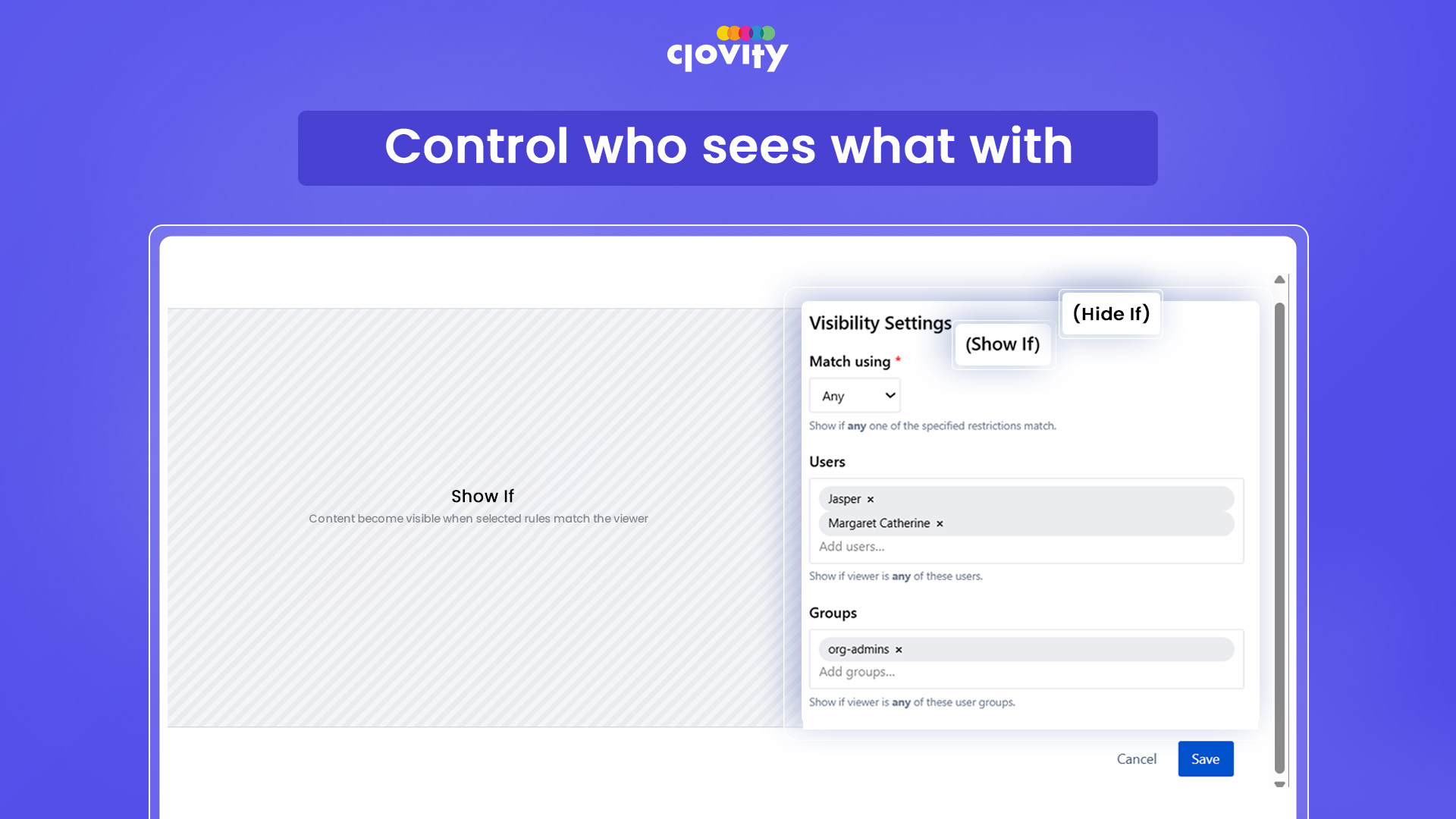
The Visibility module lets editors show or hide specific content blocks on a Confluence page based on configurable user or group conditions - no scripting, no page logic required. Conditional Show displays a content block only when the defined user or group criteria are met; Conditional Hide suppresses it for matching audiences. This enables role-based documentation within a single page, so the same Confluence page can serve internal teams, contractors, and executives without duplicating content across spaces. The module pulls directly from Confluence's native user and group management, requiring no external identity configuration or additional permissions setup.
One page serves multiple audiences - reduces content duplication and keeps spaces maintainable
Group-based visibility ties directly to Confluence user groups - no separate access system to administer
Conditional Hide supports compliance and need-to-know documentation scenarios out of the box
Step 5 of 6
Attachment Control Center
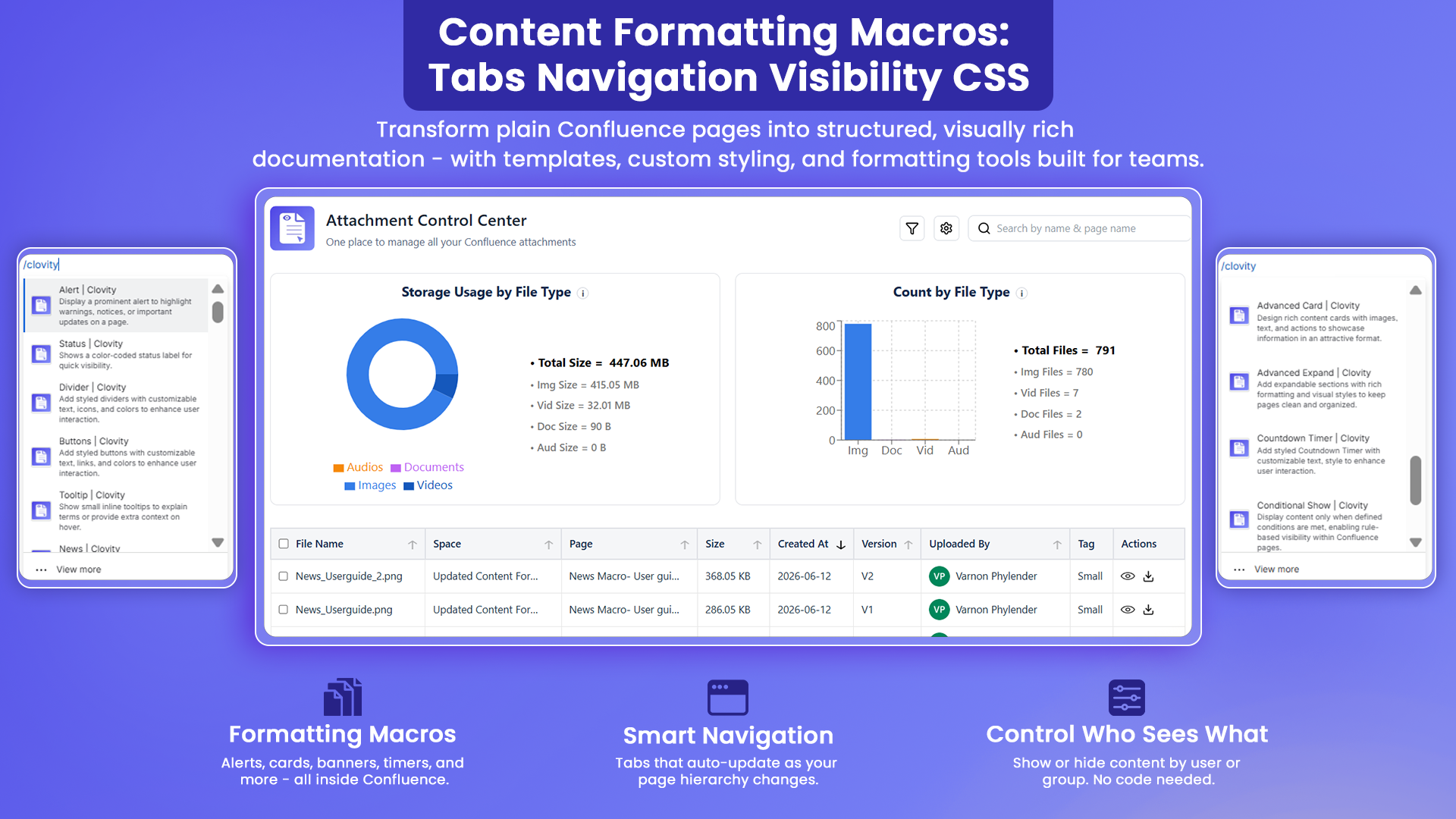
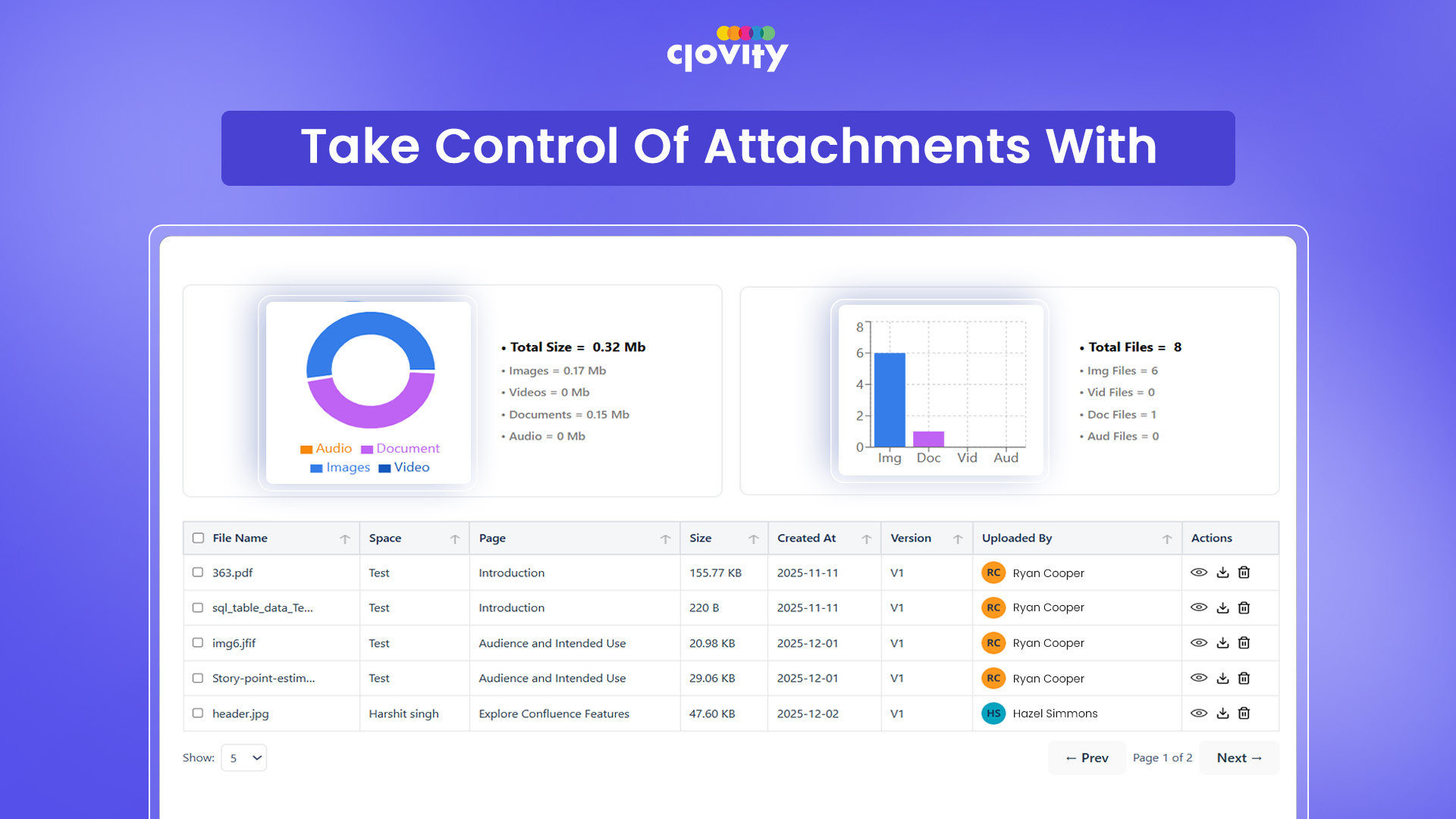
The Attachment Control Center is a global Confluence admin page that gives administrators a unified view of all attachments across their instance - with filtering, storage analytics, bulk ZIP download, and deletion in one place. Visual bar and pie charts surface storage usage by space or file type, helping teams identify bloat and enforce retention policies before storage costs escalate. A detailed deletion log records every removal with actor, timestamp, and file metadata, creating an audit trail for compliance reviews. Admin-only access is enforced at the API level, ensuring sensitive bulk operations remain gated to authorized users.
Bulk ZIP download and deletion save hours compared to page-by-page attachment management in native Confluence
Bar and pie chart analytics give admins instant visibility into storage distribution across spaces
Deletion log with actor and timestamp supports compliance, accountability, and storage governance requirements
Step 6 of 6
Page Templates
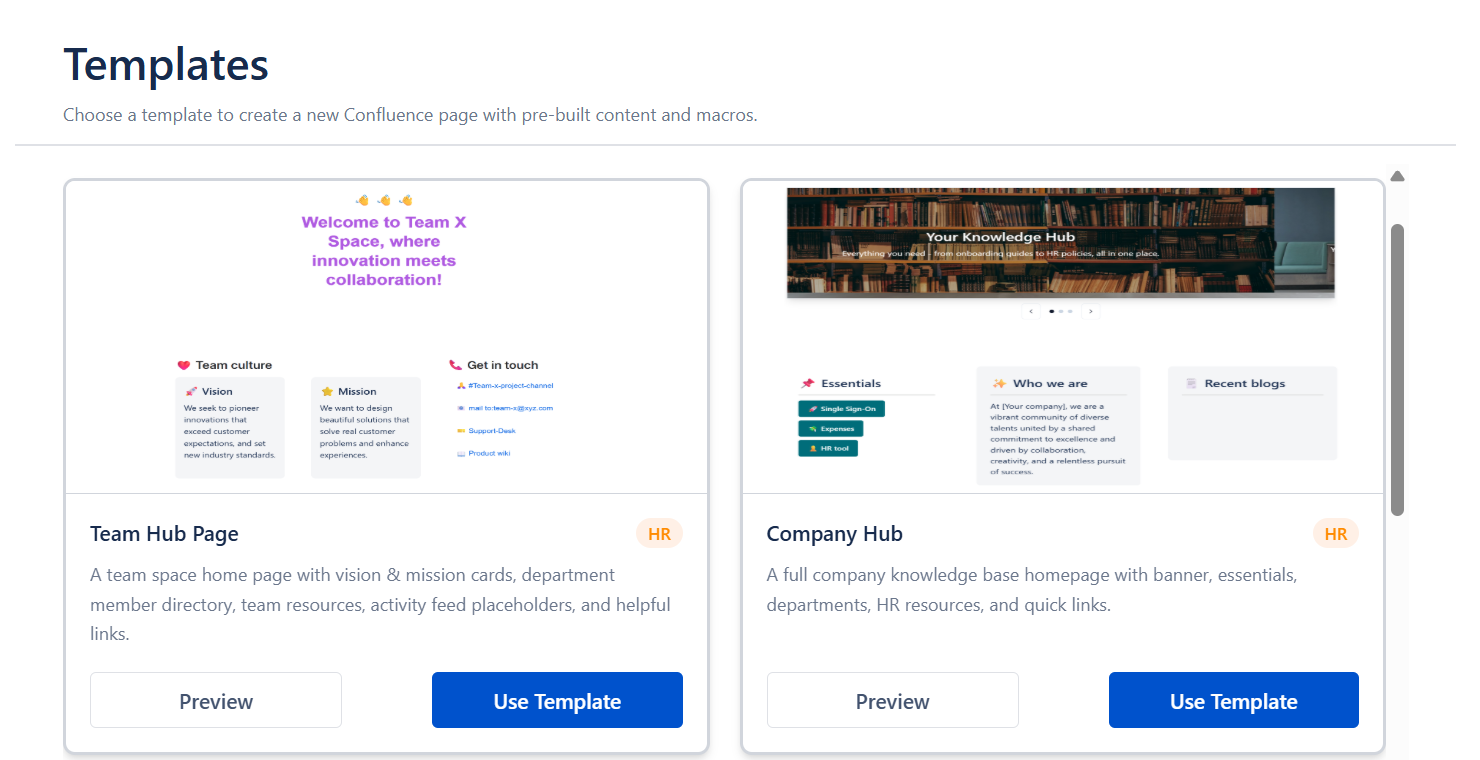
The Page Templates Gallery is a global Confluence page that gives teams a curated, browsable library of pre-built page structures accessible directly from the Confluence UI - no digging through space settings or admin panels. Editors pick a template and get a fully structured page with the right macros, layouts, and placeholder content already in place, so documentation follows a consistent standard from the first keystroke. Templates can incorporate any macro from the suite - tabs, cards, alerts, buttons, banners - making them purpose-built starting points rather than blank outlines. This removes the setup tax for recurring documentation types like project briefs, status reports, runbooks, and onboarding guides.
Pre-built templates with suite macros already configured eliminate repetitive page setup across teams
Consistent page structure across spaces reduces onboarding time for new contributors
Templates are accessible from a single global gallery, so editors don't need to know where each template lives