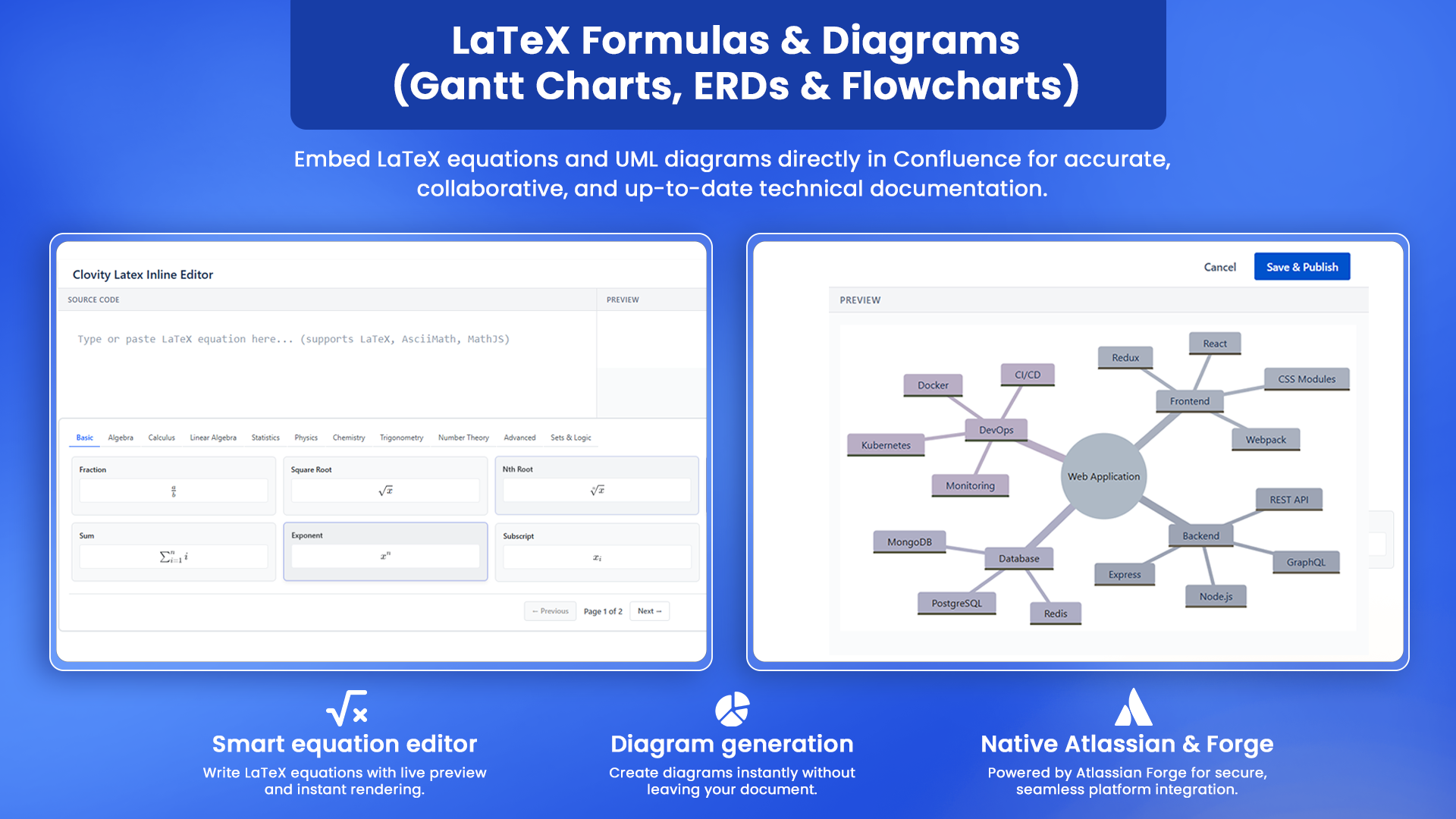
LaTeX Formulas & Diagrams brings professional technical documentation capabilities directly into Confluence Cloud - eliminating the need for external diagramming tools, screenshot-pasted equations or inconsistent formatting across authors and pages. The app delivers three macros: Easy UML Diagrams (write UML syntax and see a live split-pane preview; supports 12 diagram types including Flowchart, Sequence, ER Diagram, Class Diagram, Gantt Chart, Git Graph, Mind Map, and more), LaTeX Block Equations (display-style publication-quality math equations rendered centered and full-width using KaTeX), and LaTeX Inline Equations (embed formulas naturally within flowing paragraph text). All three macros include a live split Source/Preview editor, a samples dropdown with ready-made examples, hover-to-edit on the published page, zoom/pan/fullscreen controls, and clear syntax error panels. A built-in library of 80+ formula templates across 11 subject categories — from Basic Algebra to Maxwell's equations - makes the app immediately usable for engineering, data science, finance, and research teams.
Technical diagrams live directly in Confluence and stay editable by any author - teams stop maintaining separate diagramming tools and stop re-pasting stale screenshots every time a system changes
The split-pane live preview and built-in samples library get engineers and architects to working output in minutes - no trial-and-error, no learning curve, no documentation overhead
Runs entirely on Atlassian Forge with zero external infrastructure - no data leaves the Atlassian environment, and the app is available on Atlassian Government Cloud for federal and regulated-sector deployments
Step 2 of 3
Easy UML Diagrams
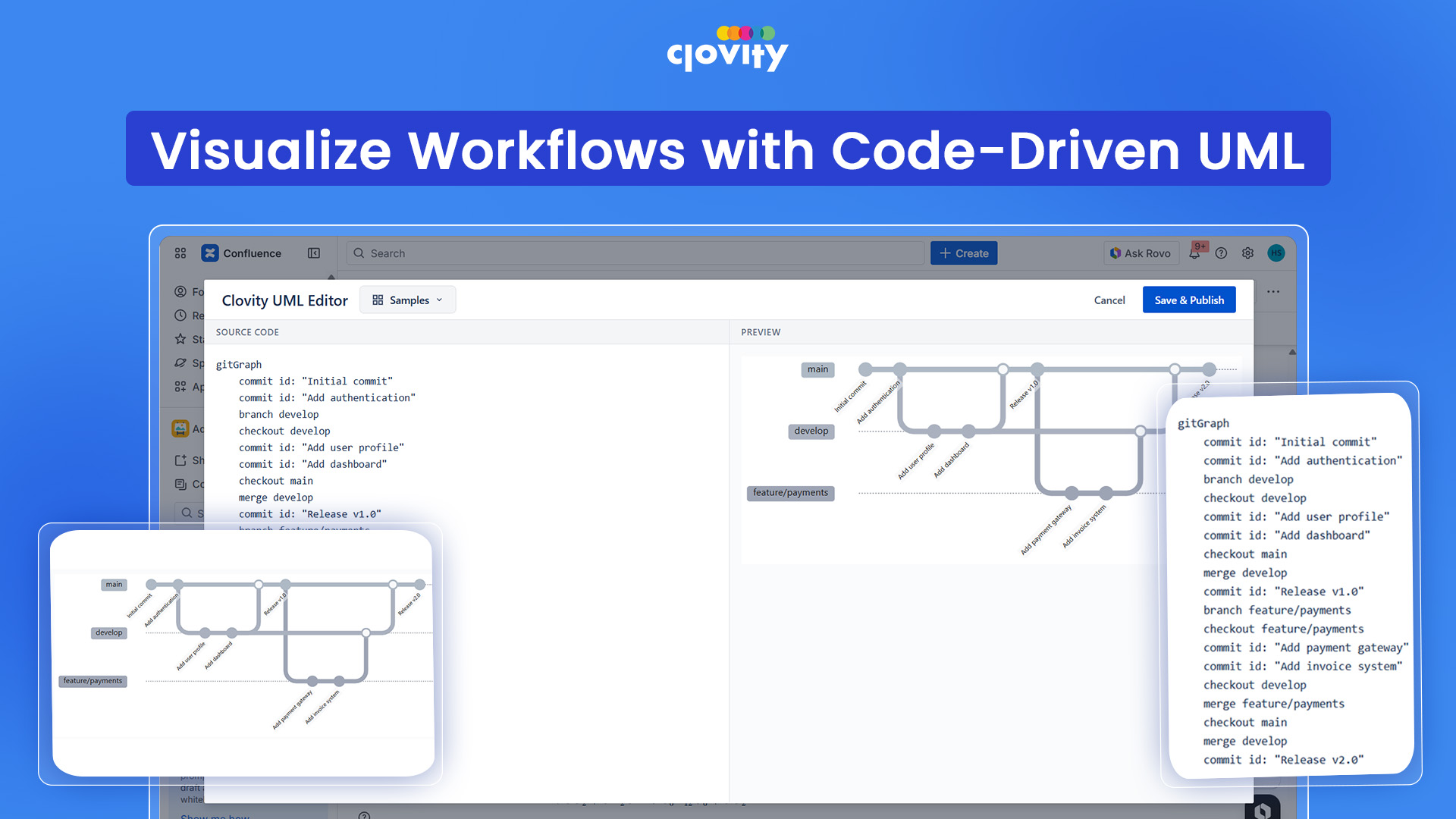
The Easy UML Diagrams macro lets teams write plain-text Mermaid syntax and instantly see a rendered diagram in a live split-pane editor - directly inside the Confluence page editor, with no external tool, no export, and no copy-paste. It supports 12 diagram types: Flowchart, Sequence Diagram, Class Diagram, Entity Relationship (ER) Diagram, Gantt Chart, Git Graph, Mind Map, State Diagram, User Journey, Quadrant Chart, XY Chart, and Block Diagram - covering the full range of architecture, process, and data documentation needs in one macro. A samples dropdown provides ready-made starting templates for each diagram type, so teams are never starting from a blank canvas. Published diagrams are fully interactive and a clear error panel highlights syntax issues so authors can fix problems without leaving the page.
12 diagram types in one macro means teams document architecture, workflows, data models, timelines, and git flows without switching between multiple apps and any other external tool
Diagrams stay as editable source code on the Confluence page - any team member can open, modify, and re-render them in seconds, preventing the stale screenshot problem that plagues technical wikis
Samples dropdown with ready-made templates for every diagram type means even first-time users produce correct, well-structured diagrams without reading documentation Fullscreen and zoom/pan controls make complex architecture diagrams readable during live reviews and stakeholder walkthroughs - no need to export or screenshot for presentations
Step 3 of 3
LaTeX Block & Inline Equations
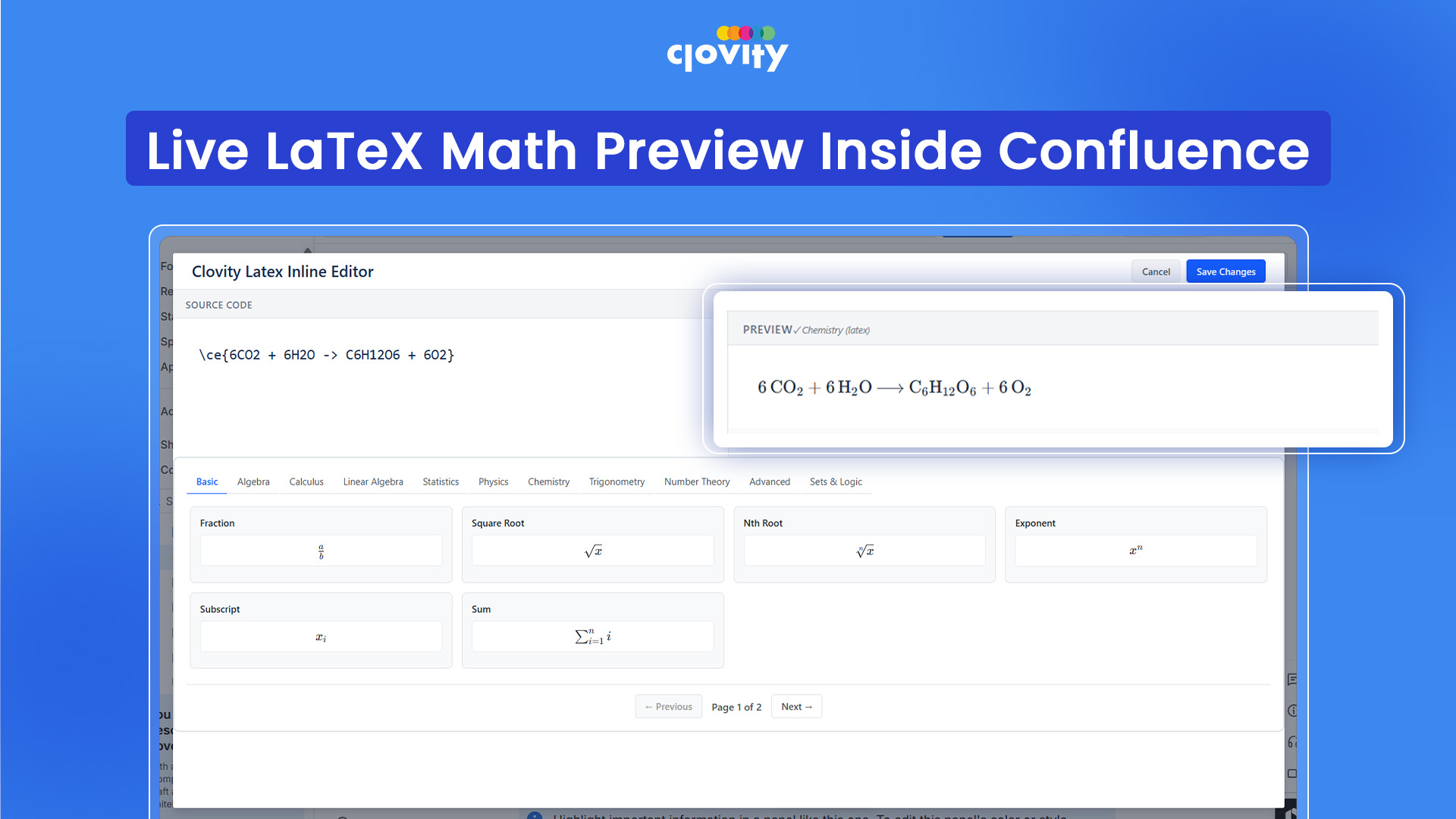
The LaTeX Block and Inline Equation macros bring publication-quality mathematical rendering directly into Confluence pages. LaTeX Block renders equations centered and full-width as display-style math - ideal for standalone formulas, multi-line aligned expressions, matrices, and case definitions in technical specs, research notes, and algorithm documentation. LaTeX Inline embeds formulas naturally within flowing paragraph text - so engineers and data scientists can write prose that includes equations without breaking the reading flow or resorting to screenshots. Both macros include a live split Source/Preview editor, a samples dropdown across 11 formula categories (Basic Algebra, Calculus, Statistics, Linear Algebra, Physics, Finance, and more), hover-to-edit on the published page, and a clear error panel for instant syntax feedback.
80+ built-in formula templates across 11 subject categories give data science, finance, and engineering teams an immediate library covering everything from basic algebra to Maxwell's equations and financial models
Inline equation support means technical prose reads naturally with embedded math - no more broken-up sentences with image placeholders or linked external documents
Both macros run on Atlassian Forge with zero external infrastructure - equations are rendered server-side within the Atlassian environment.