Pulse AI - Jira Health & Admin Intelligence Dashboard
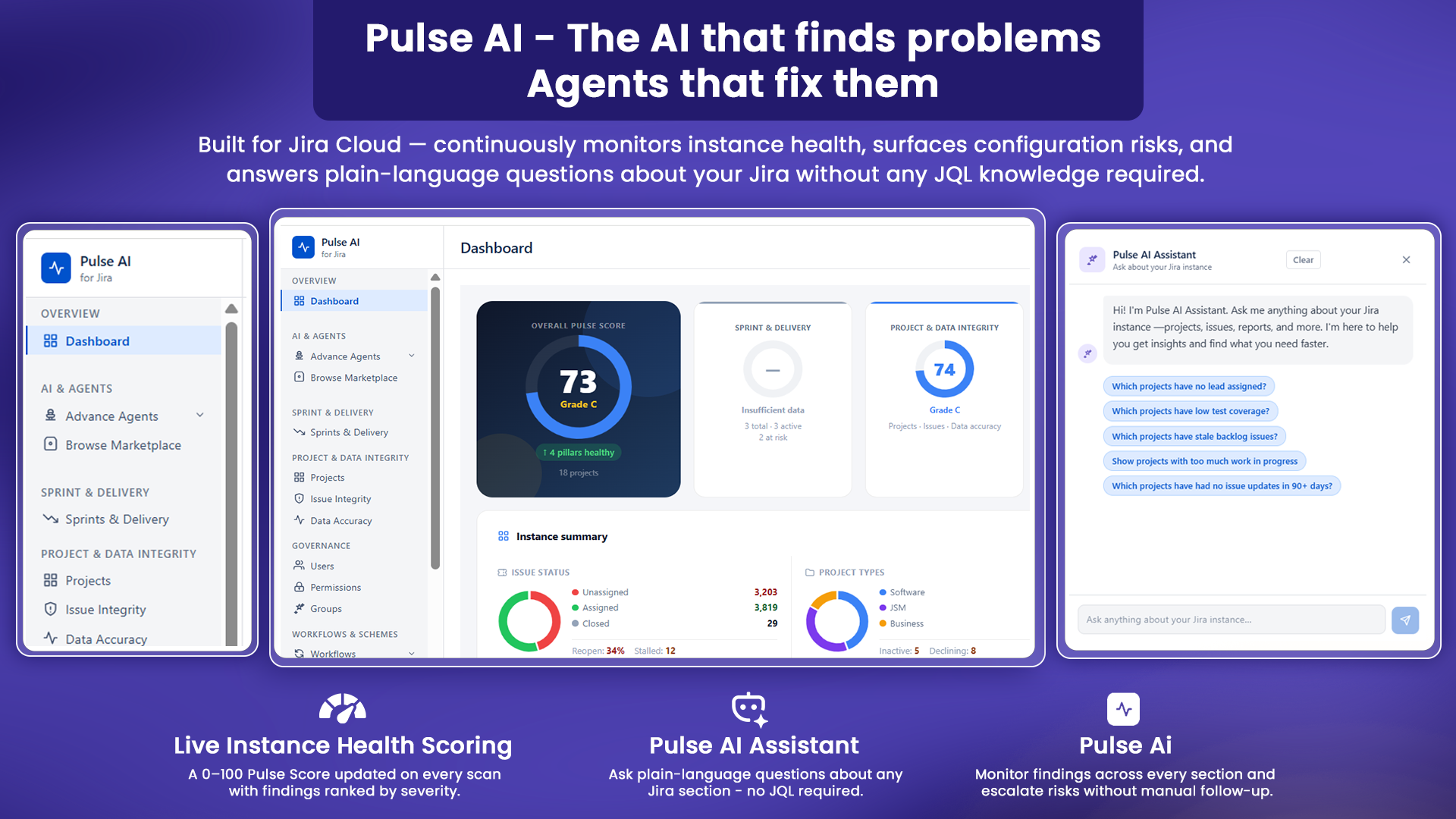
Pulse AI gives Jira admins one central dashboard to understand overall Jira instance health. It summarizes risks across projects, delivery, governance, workflows, and configurations using Pulse Scores, grades, severity levels, AI insights, findings, clean signals, and recommended actions. The overview helps admins quickly identify which areas are healthy, which areas need attention, and what should be reviewed first.
Central health view for the Jira instance.
Shows top risks across all major admin areas.
AI insights and recommendations for faster admin decisions. Reduces manual Jira admin audits.
Jira health data is spread across many admin screens. Pulse AI brings it together into one clear dashboard.
Step 2 of 6
Sprint & Delivery
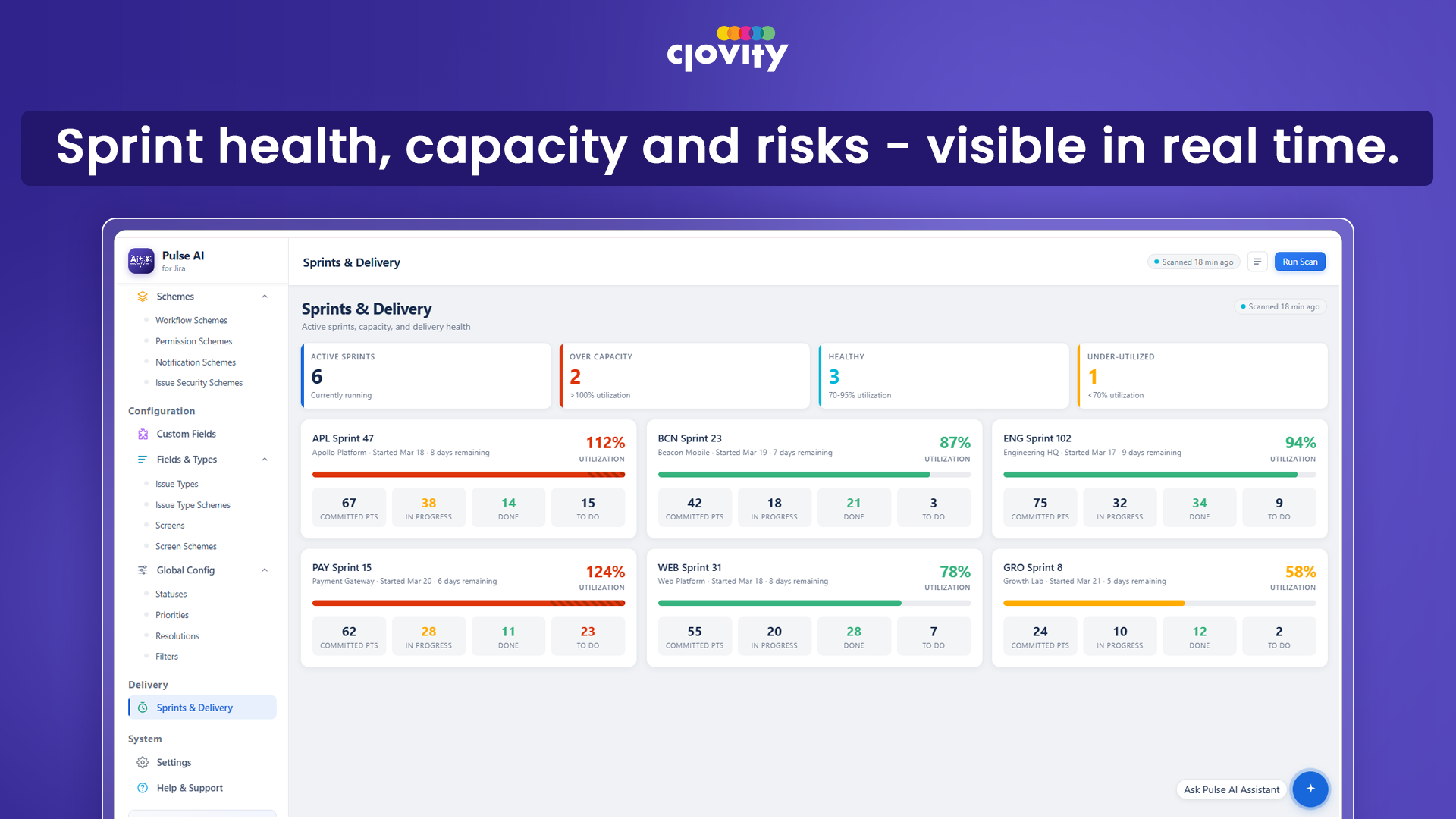
This section helps teams monitor sprint execution, board health, completion rates, scope creep, carryover, unassigned work, and delivery bottlenecks. It identifies at-risk sprints and delivery issues before they become missed commitments. Delivery leads can use the insights to improve sprint planning, rebalance work, and reduce repeated carryover.
Detects at-risk sprints early.
Shows carryover, scope creep, and completion issues.
Highlights unassigned work and bottlenecks.
Supports better sprint planning and retrospectives.
Step 3 of 6
Project & Data Accuracy
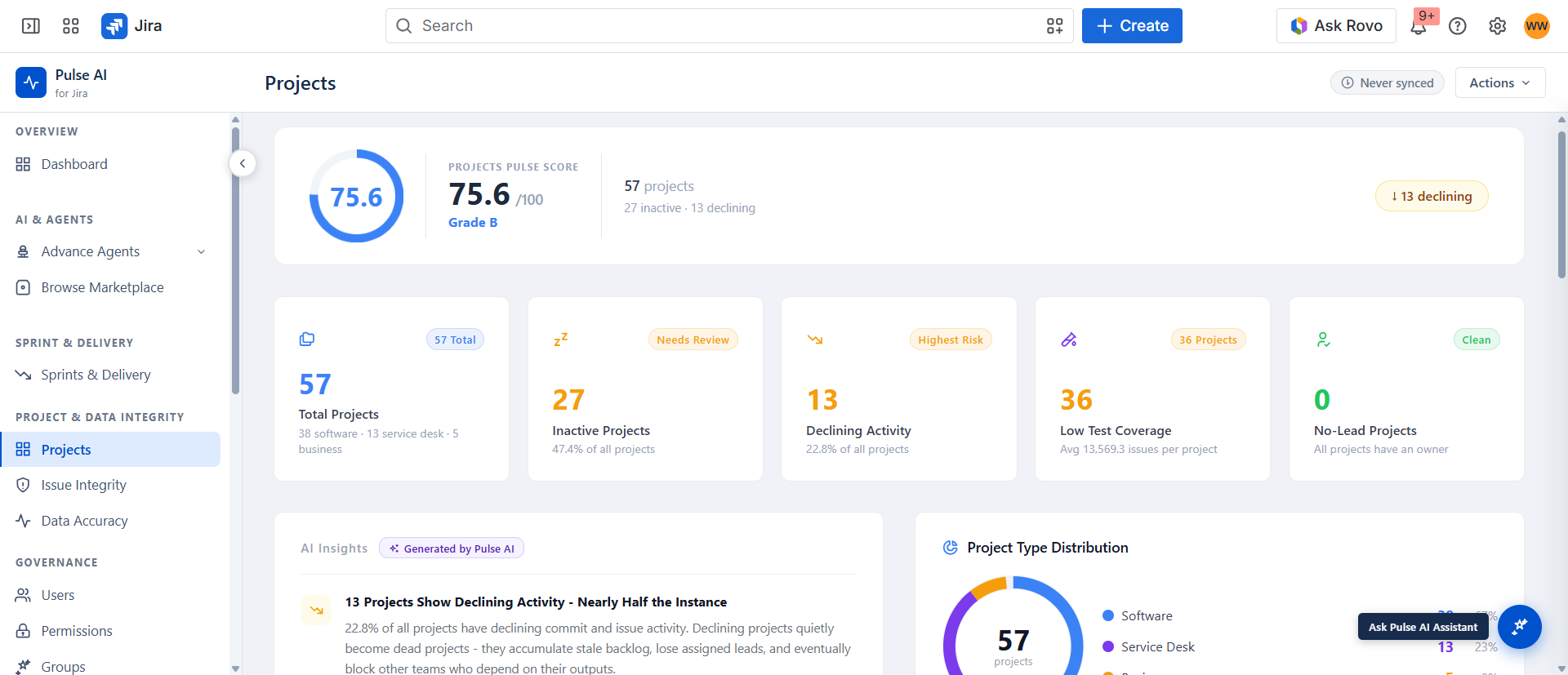
This section helps admins and project leaders understand project health, issue integrity, and data quality across Jira. It identifies inactive projects, no-lead projects, stale backlog, declining activity, unassigned issues, reopened issues, stalled work, missing fields, missing components, missing fix versions, and issue type data gaps. It helps teams improve project reliability, reporting accuracy, and issue hygiene.
Finds inactive, unmanaged, or declining projects.
Highlights issue integrity problems like unassigned, stale, reopened, or stalled issues.
Detects missing or incomplete issue data.
Improves reporting accuracy and project visibility.
Step 4 of 6
Governance
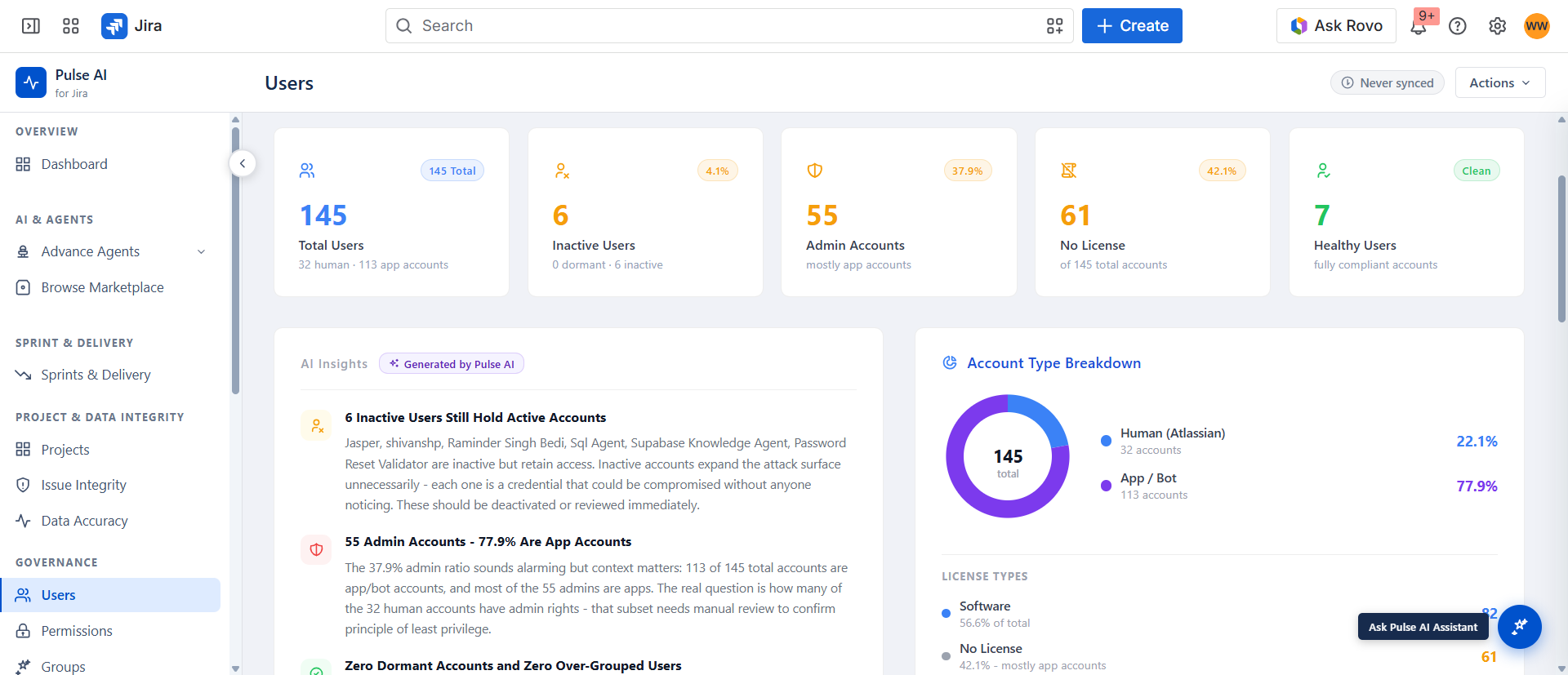
This section helps Jira admins review users, groups, permissions, licenses, and security-related access risks. It identifies inactive users, dormant users, admin users, no-license users, app accounts, empty groups, oversized groups, risky permission grants, orphaned permission schemes, and issue security scheme problems. It supports access reviews, compliance checks, and safer Jira administration.
Finds risky users, groups, and permission schemes.
Highlights inactive, dormant, admin, and no-license accounts.
Detects empty, oversized, and widely granted groups.
Supports governance, compliance, and access review.
Step 5 of 6
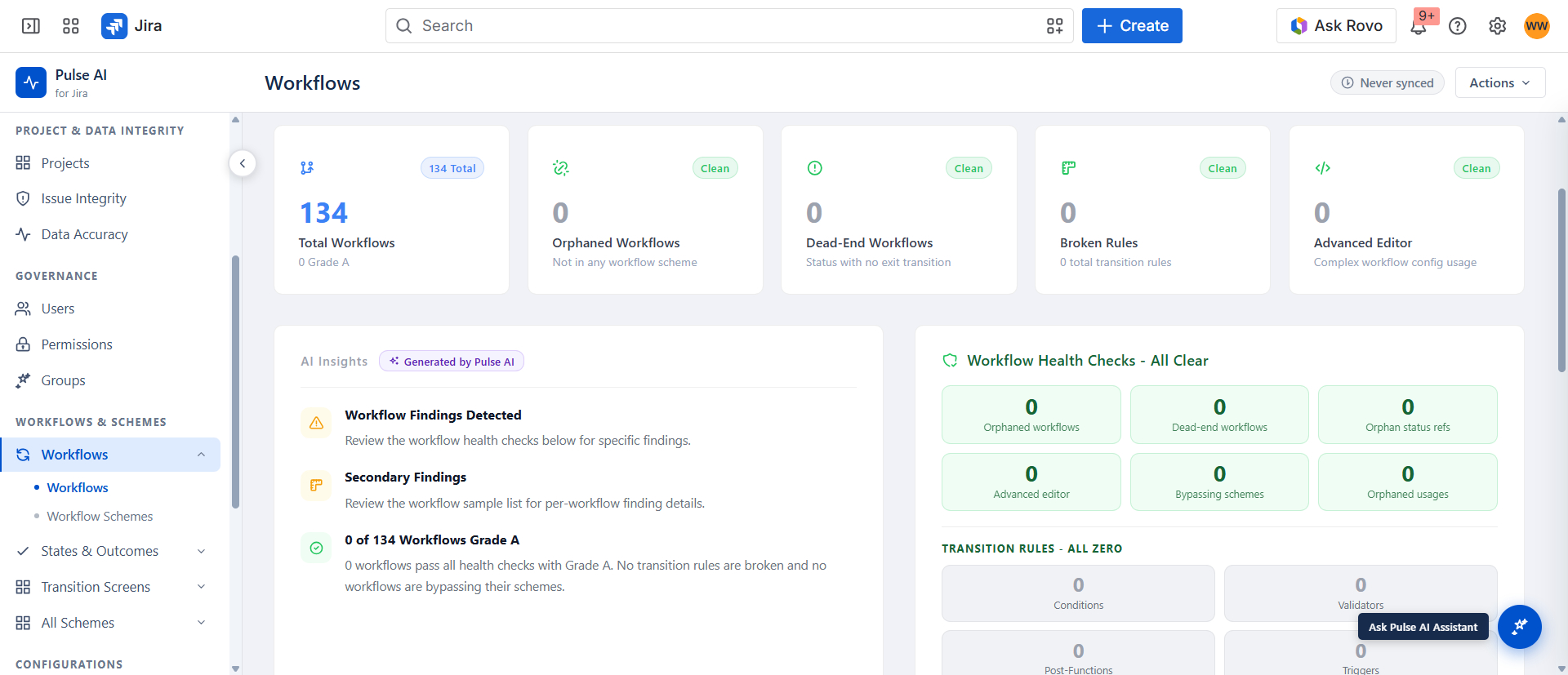
Workflows
This section helps admins review Jira workflows, workflow schemes, statuses, and resolutions. It identifies unused workflows, orphaned workflows, dead-end workflows, stale workflow schemes, missing defaults, orphaned statuses, duplicate statuses, statuses without categories, unused resolutions, and duplicate resolutions. It helps reduce workflow complexity and improve process maintainability.
Detects unused, duplicate, orphaned, and risky workflow items.
Highlights status and resolution cleanup needs.
Helps simplify Jira process configuration.
Improves workflow maintainability across projects.
Step 6 of 6
Configurations
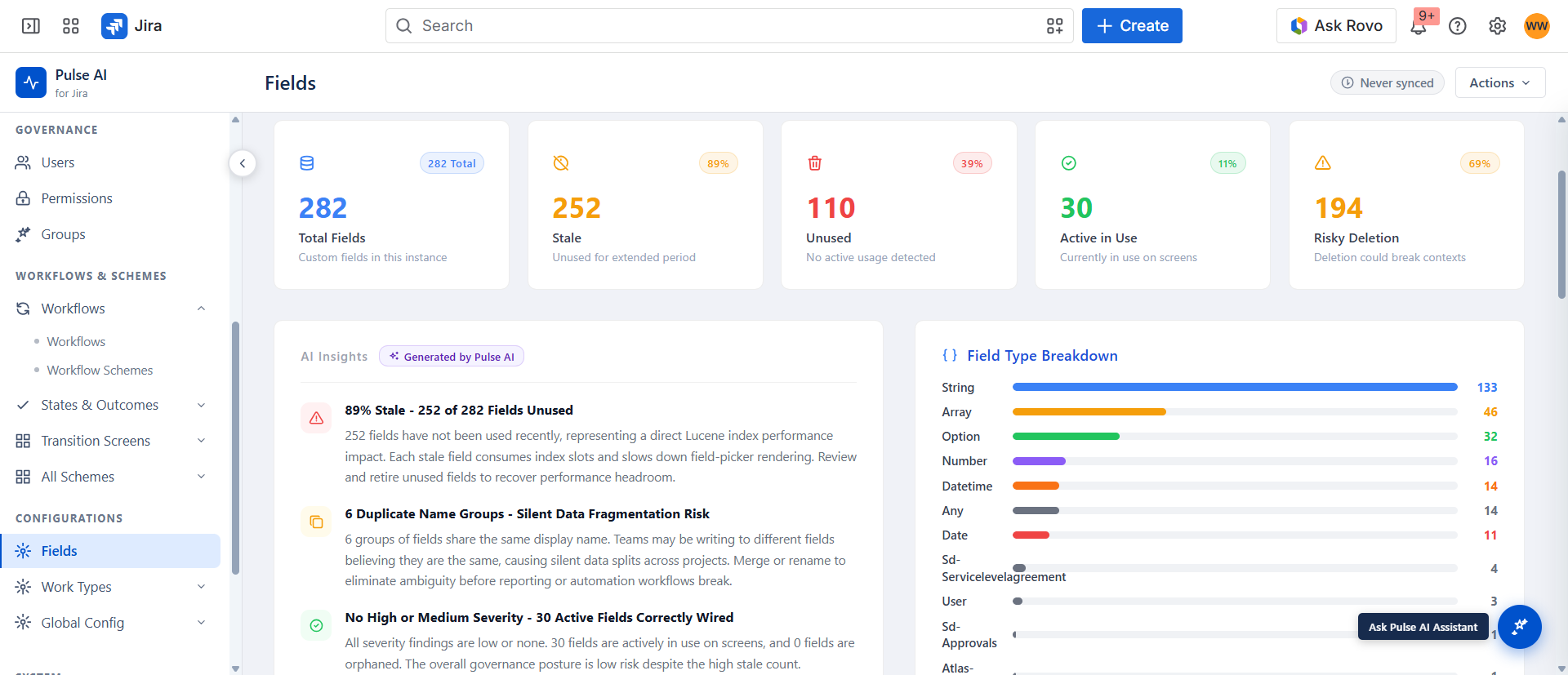
This section helps admins manage Jira configuration debt across fields, screens, schemes, priorities, filters, notifications, and work types. It identifies stale fields, unused fields, duplicate field names, risky deletion candidates, orphaned screens, bloated screens, single-screen schemes, widely shared schemes, unused priorities, overloaded priorities, public filters, stale filters, and notification scheme risks. It helps admins keep Jira easier to maintain, audit, and scale.
Finds stale, unused, orphaned, duplicate, and bloated configurations.
Finds stale, unused, orphaned, duplicate, and bloated configurations.
Reduces Jira admin debt and configuration sprawl.
Improves maintainability, reporting quality, and admin control.