Time Tracking, Resource Planning & Project Management
Time Tracking, Resource Planning & Project Management is an all-in-one Jira-native app that gives teams and managers complete visibility into workload, time, priorities, and portfolio health - without leaving Jira. It combines four integrated modules: Time Tracking (timesheets, calendars, issue timers, billing accounts, and reports), Capacity Analytics (workload distribution, assignee utilization, deadline risk, and status aging), Backlog Prioritization (ICE/RICE/WSJF scoring with a full audit trail and Priority Matrix), and Portfolio Management (six visualization modes including Gantt, Treemap, and Tree Graph across any number of Jira projects). The app runs entirely on Atlassian Forge and access is controlled through a two-role RBAC model tied directly to Jira's existing user management with a full audit log. Built for engineering teams, project managers, delivery leads, and portfolio owners who need operational clarity inside the tools they already use.
Cut tool costs - replaces 3–4 separate plugins with one app, eliminating overlapping licenses and the brittle integrations that break on every Jira upgrade
See workload reality, not just what was planned - per-person utilization and deadline risk rankings surface overload before it becomes a missed commitment, with timesheet data that is accurate, auditable, and tied directly to Jira issues
End the "why wasn't this built?" conversation - ICE, RICE, and WSJF scoring backed by a full audit trail makes every prioritization decision defensible, with stakeholder pushback answered by a record, not a reconstructed story
Give leadership a portfolio view without asking PMs to build one - live Jira data across Gantt, Treemap, and Tree Graph means executives see what the team is working from, with no status decks and no manual compilation
Step 2 of 6
Capacity Planner & Insight
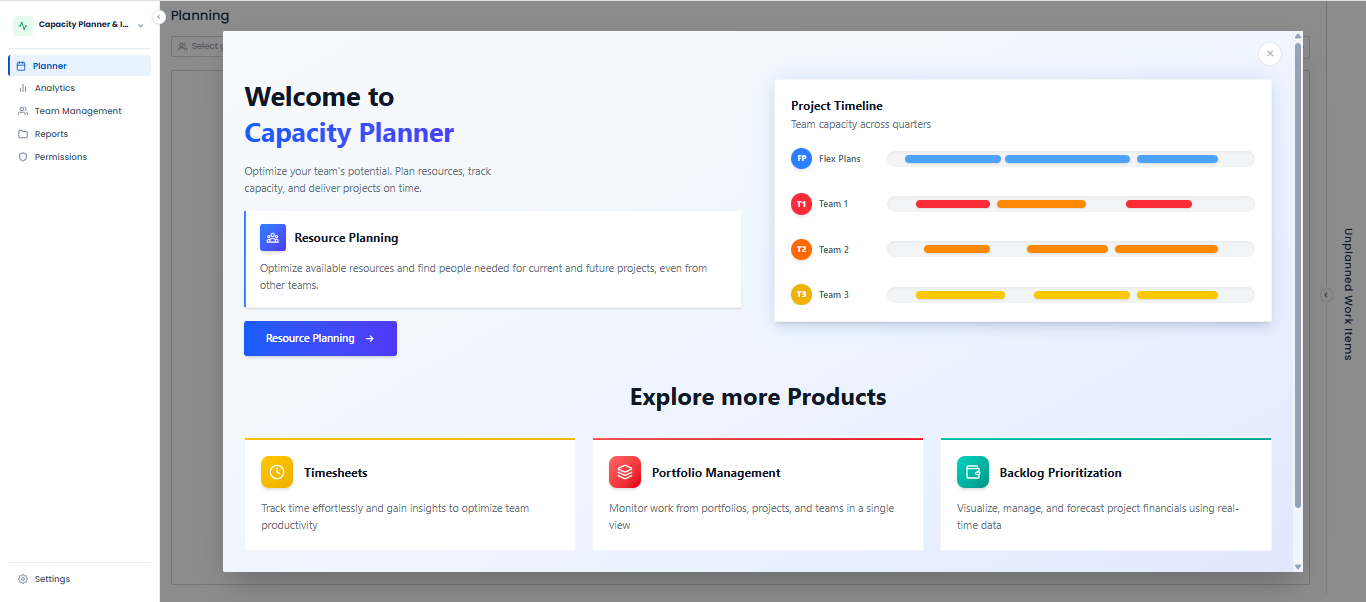
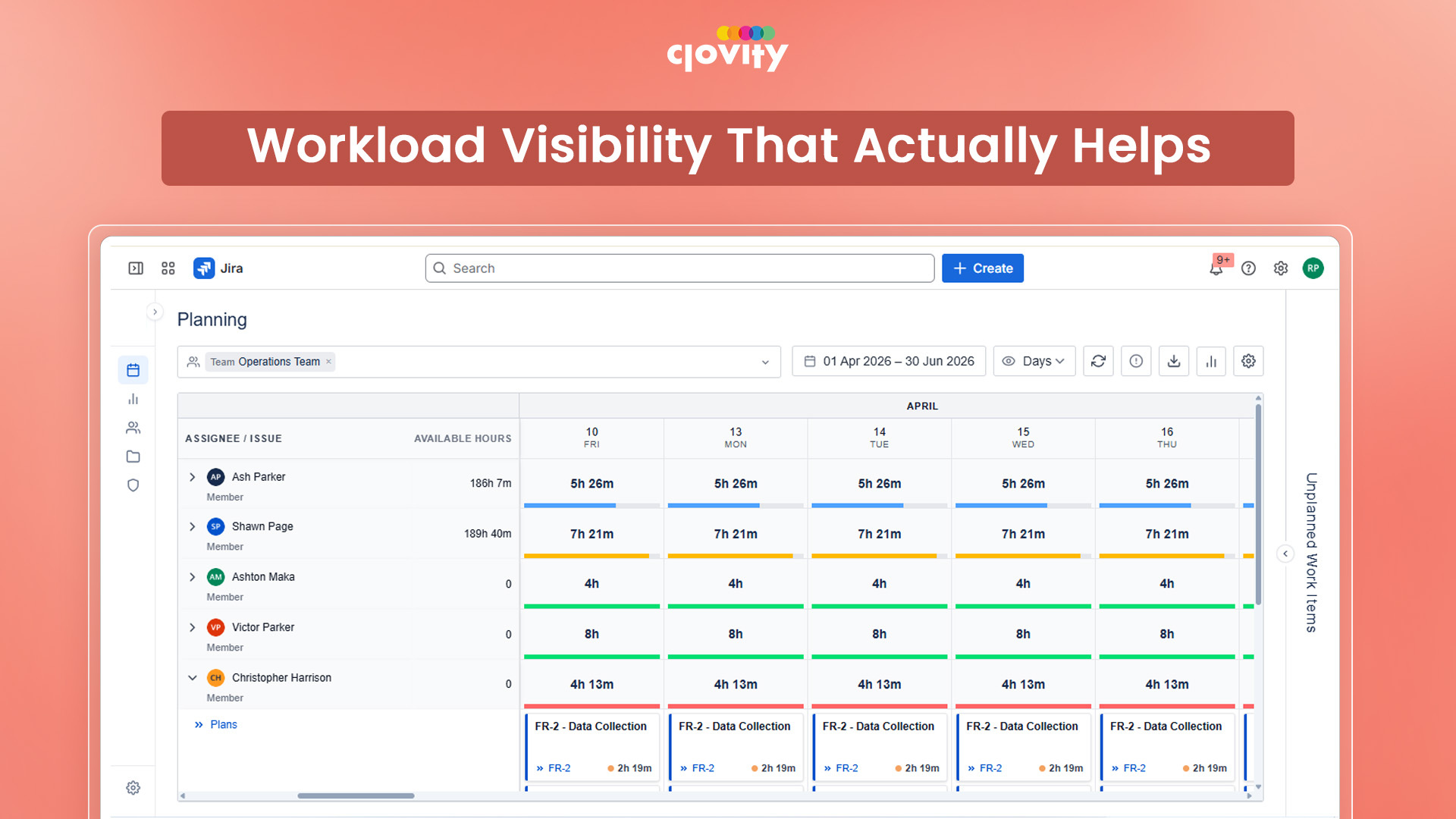
The Capacity Planner & Insight module gives program managers and delivery leads a single place to forecast resource availability, allocate work, and detect over-commitment before it becomes a delivery problem. A named planning canvas with Gantt calendar view lets teams book issues to specific members across a planning horizon, with a Holiday Calendar feeding into capacity calculations so availability figures reflect actual working days - not theoretical headcount. Four analytics tabs — Team Allocation, Assignee Capacity, Deadlines & Risk and Status Aging — surface workload distribution, per-person utilization percentages, overdue issue rankings by risk level, and workflow bottlenecks from a single interface. Reusable saved plan configurations cut setup time for recurring planning cycles like sprint planning or quarterly resource reviews.
Assignee Capacity tab shows planned vs. actual hours, buffer, and utilization percentage per person - giving managers the data to rebalance workload before a deadline is missed
Deadlines & Risk tab ranks all issues with due dates by risk level - overdue, high, medium, low - with color-coding and CSV export ready for weekly stakeholder updates
Holiday Calendar integration ensures capacity calculations reflect real availability, preventing overcommitment on days the team is not actually working
Step 3 of 6
Time Tracking & Timesheets
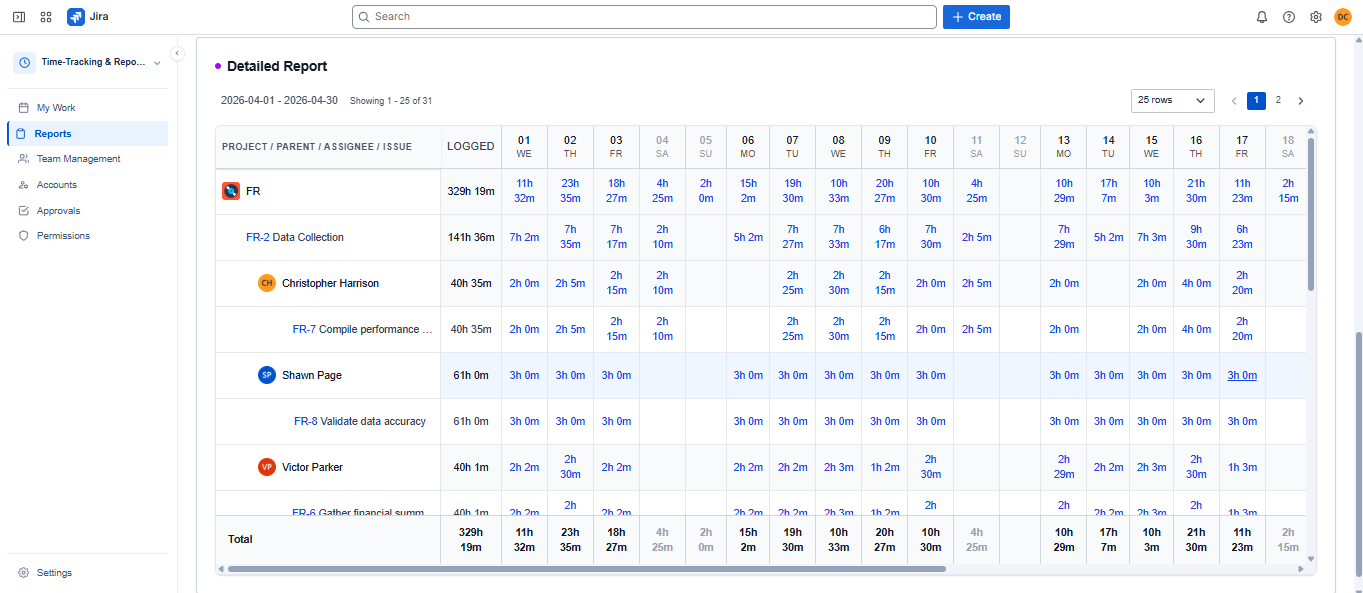
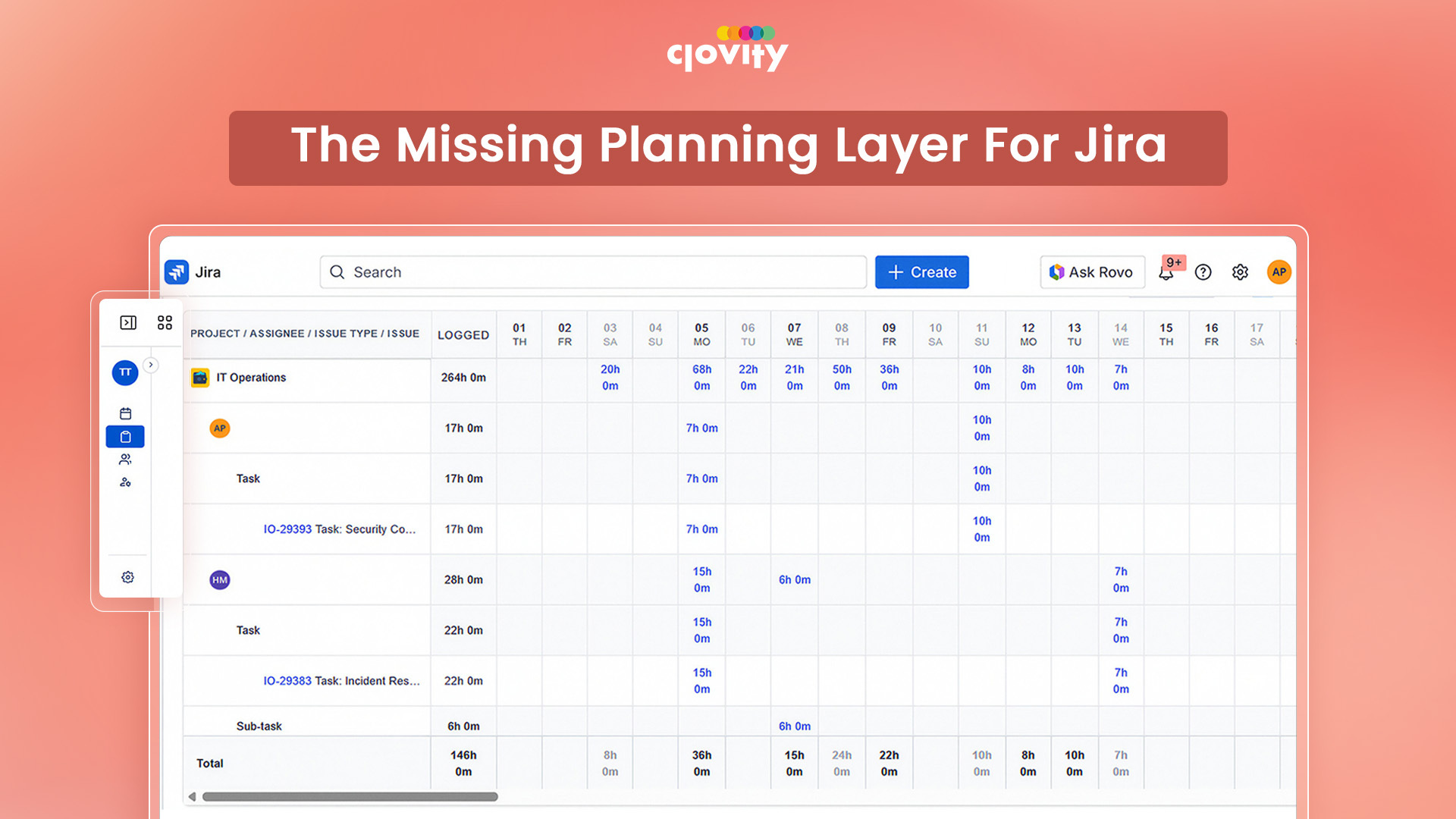
The Time Tracking module gives Jira teams a complete toolkit to log, view, and report on time without leaving Jira - no external tools, no manual spreadsheets, no end-of-week memory gaps. Team members can log time through a calendar view with drag-and-drop entries, a per-issue start/pause/stop timer embedded directly on every Jira issue panel, or a full log time modal with billing account selection and custom fields. A dedicated report builder generates nested, grouped timesheet reports with advanced filters, and every view exports to formatted XLSX with frozen panes and color-coded headers. Billing accounts, Time Categories (split a single entry across Development, Code Review, or Meetings), and custom worklog fields make the data directly usable for client invoicing, project accounting, and compliance reporting.
Real-time issue timer on every Jira issue panel eliminates end-of-day logging guesswork - time is captured at the moment of work, not reconstructed hours later
Time Categories let teams split a single log entry across named activities - critical for agencies and contractors tracking billable vs. non-billable time on the same issue
Dashboard gadget embeds the timesheet view on any Jira dashboard - managers get a standing team time overview without navigating away from their existing workflow
Step 4 of 6
Project Portfolio Management
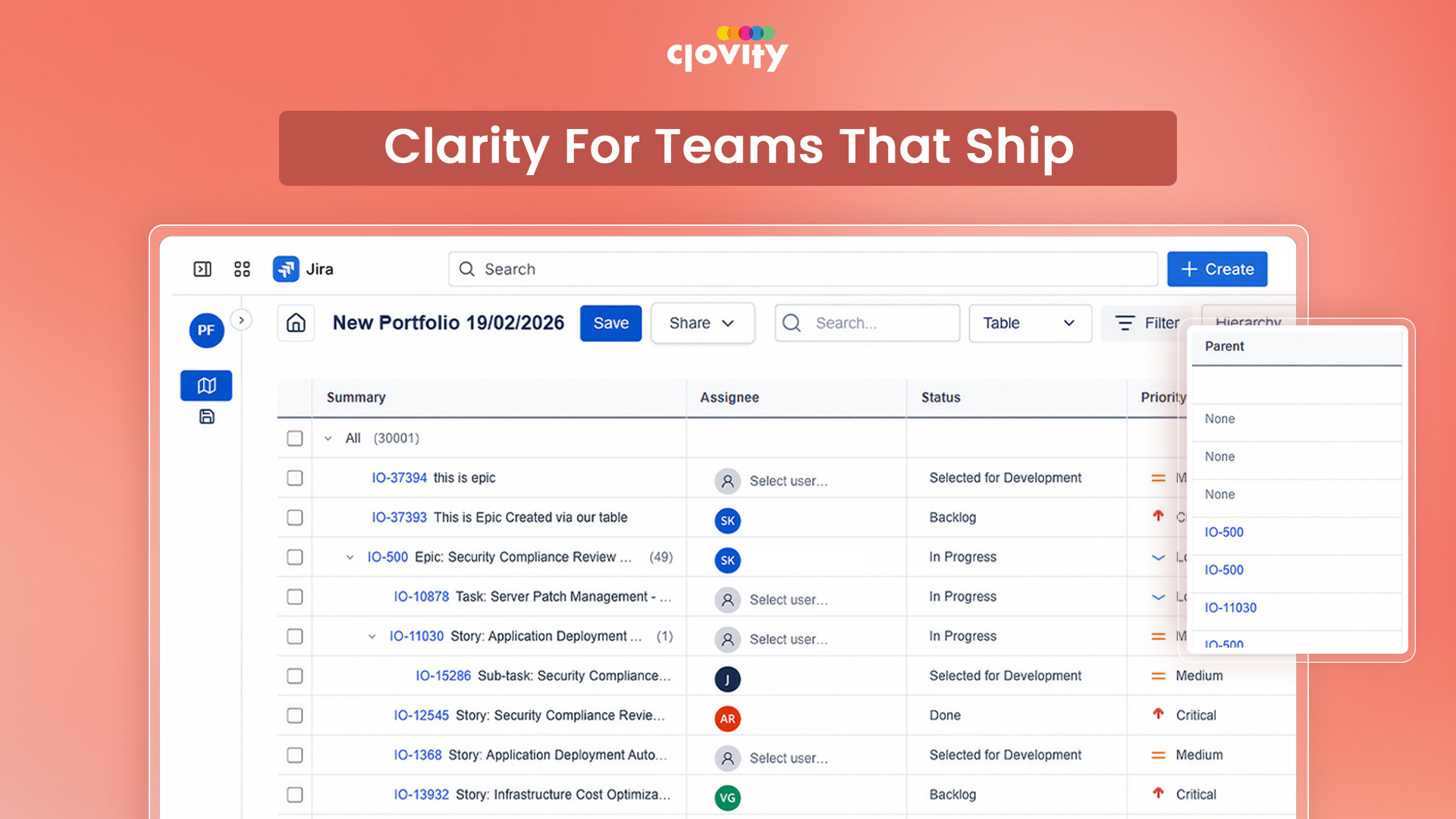
The Portfolio Management module aggregates work items from across multiple Jira projects into unified portfolio views, giving executive leadership and program managers a single source of truth for delivery health and strategic progress. Teams define portfolio scope through manual filters, saved Jira filters, or full JQL queries - then analyze it through six visualization modes: Gantt, Treemap, Board, Pie Chart, Table Tree, and Tree Graph. The Gantt view supports four dependency types (FS, SS, FF, SF), critical path highlighting, and drag-to-reschedule - giving delivery teams real-time schedule control without leaving Jira.
Six visualization modes serve every audience - Gantt for delivery leads, Treemap and Pie Chart for executive briefings, Tree Graph for dependency mapping, Board for workflow tracking
JQL-driven dynamic portfolios stay automatically up to date as project scope evolves - no manual reconfiguration, no stale data
Drag-to-reschedule on the Gantt with live dependency recalculation means delivery leads adjust plans in the meeting, not after it
Portfolio sharing with Viewer, Editor, and Owner roles supports multi-team and multi-agency environments without exposing configuration to all users
Step 5 of 6
Backlog Prioritization
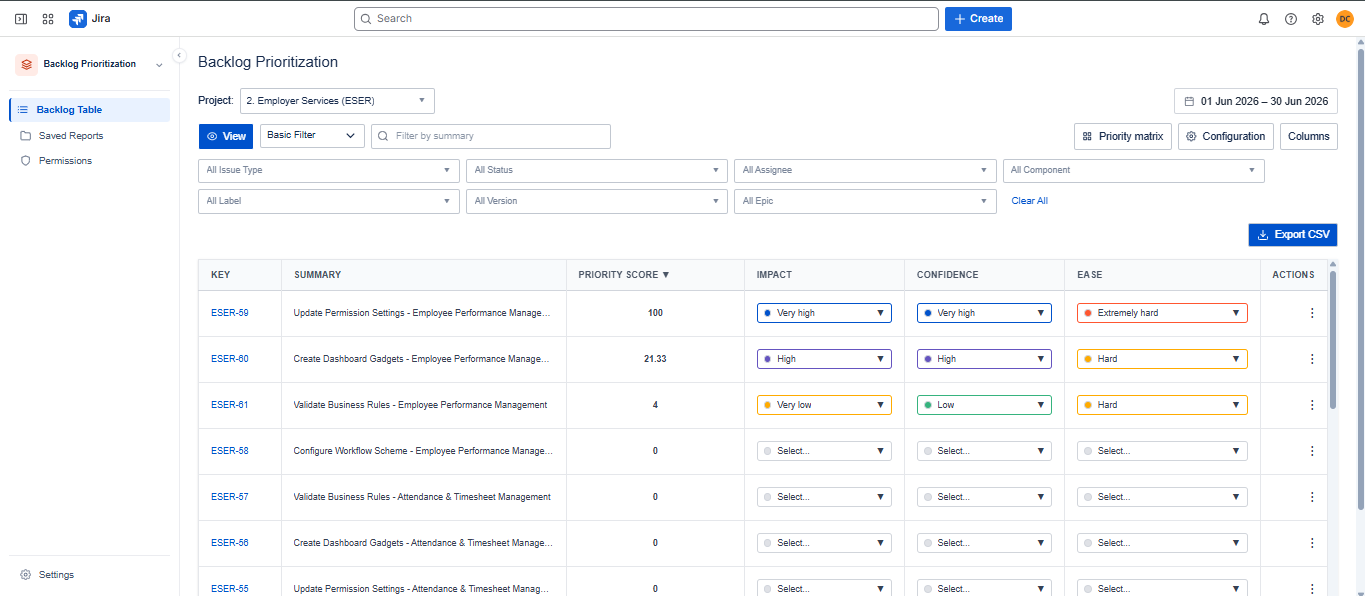
The Backlog Prioritization module replaces subjective ranking with a structured, auditable scoring framework applied directly to Jira issues - so every item in the backlog has a score, and every score has a record. Teams choose from built-in methods - ICE, RICE, WSJF, Value vs. Effort - or build custom templates with their own metric types including Number, Star Rating, Dropdown with scored options, Effort estimate, and native Jira fields. Scores calculate automatically as users edit metric values inline in the table, and every change is tracked in a per-issue change history log — giving teams a defensible record of prioritization decisions for any stakeholder review or audit. A Priority Matrix plots issues on a 2D scatter chart with configurable axes, and the full ranked backlog with all metrics exports to CSV for use as sprint planning input.
Change History log tracks every metric edit per issue with a full audit trail - critical for regulated environments where prioritization decisions need to be documented and defended
Built-in ICE, RICE, and WSJF frameworks give teams an immediate, structured starting point - no configuration required to run a defensible scoring session
Priority Matrix scatter chart instantly communicates high-value, low-effort opportunities to the whole team - making sprint planning conversations faster and less subjective
Step 6 of 6
Reports, Teams & Access Control
The app includes three supporting capabilities that tie the four core modules together: advanced reporting, Teams Management, and Role-Based Access Control with a full audit log. The reporting layer spans all modules — timesheet reports with nested grouping and XLSX export, Capacity analytics tabs with CSV export, and Portfolio views exportable as PNG for stakeholder decks. Teams Management lets organizations define team structures (Program → Teams → Members) that are referenced across Capacity, Time Tracking, and Portfolio workflows - with Jira group import keeping membership current automatically. RBAC uses a two-role model (Global Admin and Member) tied directly to Jira's user management, with a full Audit Log recording every role change - actor, timestamp, action, and affected user - filterable by date and searchable by name.
Audit Log of all role changes with actor, timestamp, and action satisfies access governance and compliance requirements for federal agencies and regulated-sector organizations
Two-role RBAC tied to Jira requires no separate admin system and takes effect immediately - onboarding or offboarding a team member is a single action, not a multi-tool process
Every module exports its data — XLSX for timesheets, CSV for capacity and backlog, PNG for portfolio views - making the app the single source for all project reporting needs