


Partner Adoption Enablement
What is ServiceNow? - ServiceNow University
Learn what ServiceNow is, why it was created and how it helps people work smarter by solving everyday challenges with technology.
Login to ServiceNow:
Guide to Learning Credits | Overview of types of courses offered and learning credits required per course
Learning Paths by Persona | Roadmap for Technical and Administrative Training
This document outlines learning paths for administrators, developers, implementers and others and supports enabling teams to reach successful user adoption.
Technical Training Catalog | Overview of on-demand, instructor-led and certification courses
Customer Roles | Overview of admin and customer roles in ServiceNow University
Credentialing Program | Overview of ServiceNow鈥檚 credentialing program
ServiceNow University Frequently Asked Questions
Micro Courses | High-level 4鈥�10 minute trainings for process and end users
ServiceNow University offers Micro Trainings that provide bite-sized, high-level overviews of products and capabilities.
Playbooks for Navigating the Platform
Finding Your Training or Content
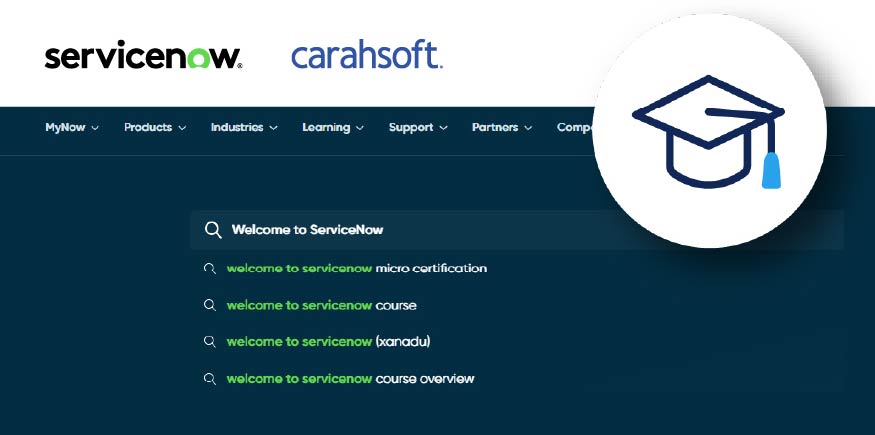
Find Your Training or Content:
- Use the search bar to find learning content or information about achievements.
- Once you enter your search terms, use the Enter key to expand the advanced search page to view a longer list of results and options.
- Filter your options to get more specified results.
Playbooks for On-Demand + Instructor-Led Courses
Navigating Learning Content and Enrolling
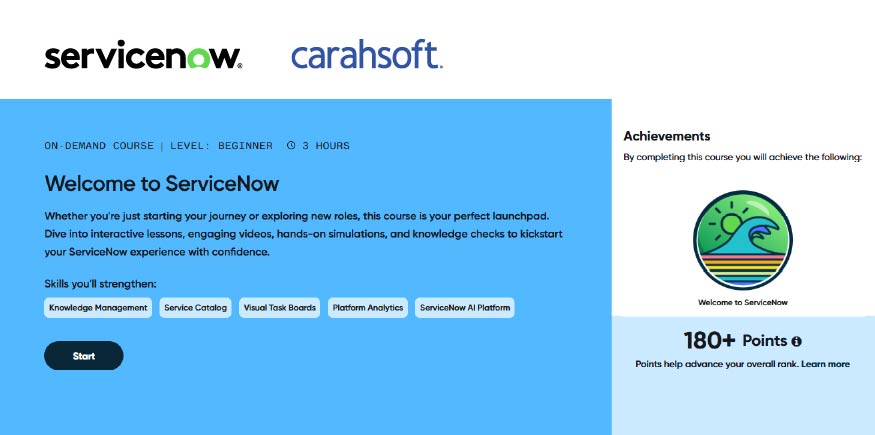
Finding Your Training or Content:
- Use the search bar to find learning content or information about achievements.
- Once you enter your search terms, use the Enter key to expand the advanced search page to view a longer list of results/options.
- Filter your options to get more specified results.
Enrollment:
- If the course is free, the button will show as Start and the course will begin immediately after selecting Start.
- If a cost is associated with the course, the button will show as Pay and Begin with the cost shown above. Selecting Pay and Begin will open a payment drawer to apply either learning credits or a credit card.
- If prerequisites are required, the Prerequisites Required button will appear. Selecting it will display the required learning content, training, or achievement needed before enrollment.
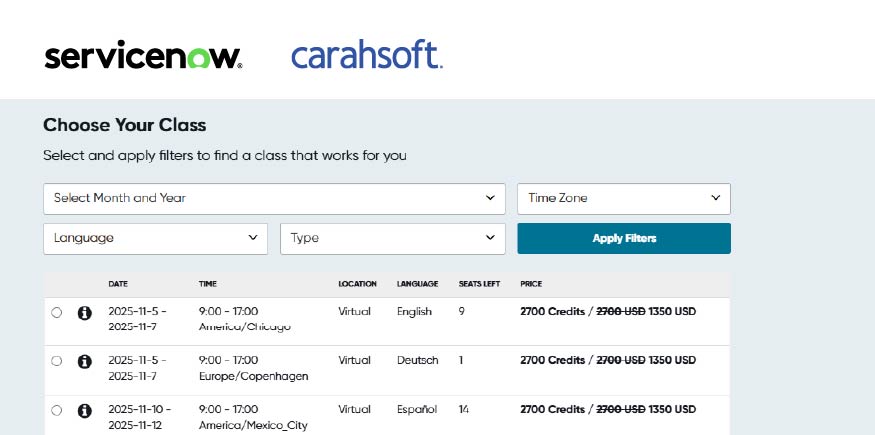
Enrollment Continued:
- If no prerequisites are required, selecting Class Options will open a list of class times. Use the 鈥渋鈥� icon to see more information about the class.
- Select the specific class you desire and complete any required payment.
- After enrollment, the course page reloads and details are visible in the Class Activity tab, including:
- Current enrollment or waitlist status
- Course materials (some materials only become available after class starts)
- Cancellation/Refunds: If allowed by terms and conditions, you may cancel your course from this page and receive a refund if cancelled within the allowed refund period.
- Multiple classes: If enrolled or waitlisted in more than one class, view each class鈥檚 details by selecting the class from the drop-down box.